Many teams first think about account security in terms of passwords and login codes.
In real teamwork, the risk is often more ordinary. A screenshot gets posted in a group. A private message is copied into an external thread. A login code is forwarded for convenience. A few weeks later, no one remembers where that information ended up.
This becomes more visible when Telegram and cloud phones are both part of the same workflow.
Telegram is useful because it is fast and familiar. QCCBot cloud phones hold the real remote Android environments where account state, app pages, customer messages, and login context may exist. Used well, the combination improves coordination. Used loosely, it can scatter sensitive information across chat history.
Account information is more than a password
In mobile operations, many pieces of information can carry account risk.
For example:
- login codes;
- login email screens;
- private messages;
- customer details;
- group names and contact lists;
- account recovery prompts;
- device or region state shown inside apps;
- task notes and operator context.
None of these may look like a password on its own. Together, they can describe the state of an account very clearly. For an operations team, protecting that context is more practical than simply telling people not to leak passwords.
The problem with chat tools is not that they are unsafe. It is that they are too easy.
Telegram is a communication tool. The issue is that chat is so convenient that teams start putting everything into it.
An operator sends a screenshot so a teammate can understand the page. A support person copies a message so a manager can approve a reply. A login code is shared because it saves a few seconds.
Those actions may feel reasonable in the moment, but they create long-lived records. Chat history can be searched, forwarded, backed up, and seen by people who join a project later.
The team does not need to treat Telegram as the problem. It needs a sharper rule: Telegram is good for status and decisions, but not for every piece of raw account information.
Cloud phones keep account context in the right place
One important value of QCCBot cloud phones is that account work can remain inside the relevant remote Android environment.
When a Telegram business account needs attention, the right teammate can inspect the corresponding cloud phone instead of moving the account content into group chat. Communication stays fast, but the account context does not get copied everywhere.
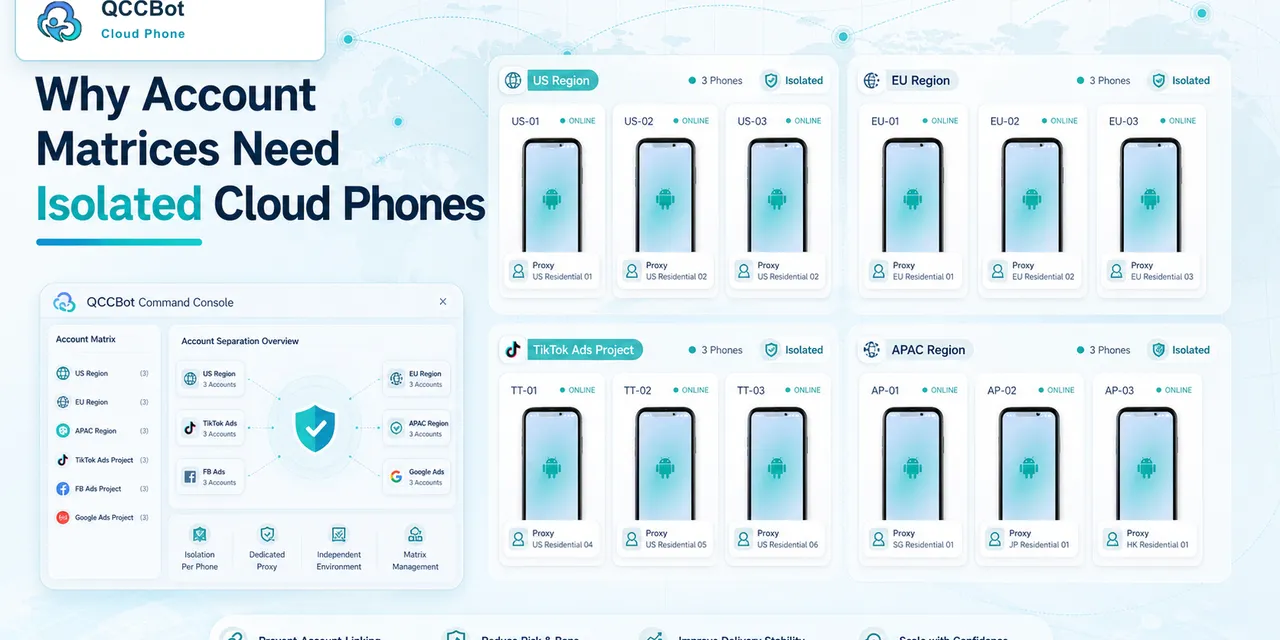
This matters more as account volume grows. If different projects, regions, and customers are all handled through screenshots and short messages, context quickly blends together. Cloud phones separate the environments, making it easier to understand which task belongs to which device and which account.
Mature collaboration moves less sensitive content
Mature operations teams do not try to put everything in the chat. They separate information by purpose.
Telegram is a good place to share:
- which task needs attention;
- which cloud phone needs review;
- whether the task is complete;
- whether manual review is needed;
- the outcome after handling the issue.
The raw account content is different:
- login codes;
- private message screenshots;
- complete customer details;
- recovery pages;
- information that identifies the account.
Once that boundary is clear, collaboration often becomes lighter. People no longer dig through screenshots and half-explained chat threads. They return to the relevant cloud phone to see the current state.
QCCBot solves an operations problem
QCCBot does not turn Telegram into a console, and it does not replace team communication. It solves a different problem: when mobile accounts multiply, the team needs stable device environments to hold those accounts.
Each cloud phone can represent a separate business context. The team can continue using Telegram for coordination while account-sensitive work stays in the cloud phone session. That protects context without slowing down communication.
For teams that manage Telegram, TikTok, YouTube, Xiaohongshu, or other mobile app workflows over time, this boundary becomes increasingly important.
If you are building a multi-account mobile operations workflow, visit the QCCBot website to learn about cloud phone isolation, remote Android environments, and team collaboration.
A practical privacy checklist for Telegram teams
The safest workflow is not “never use Telegram.” It is to decide what Telegram is for.
Use Telegram for coordination:
- task assignment;
- who is responsible;
- which cloud phone needs review;
- whether the issue is finished;
- short non-sensitive notes.
Keep inside the cloud phone:
- active account sessions;
- customer conversations;
- login and recovery screens;
- app-specific private data;
- screenshots that reveal account identity.
This checklist gives teams a simple way to keep collaboration fast without turning group chat into a storage place for sensitive account context.
FAQ
Is it unsafe to open QCCBot from a Telegram link?
The link itself is only an entry point. The important question is what information gets moved into Telegram afterward. Teams should use Telegram for coordination while keeping account-sensitive work inside QCCBot cloud phones.
Can one cloud phone protect every Telegram account?
Not usually. If accounts belong to different customers, regions, campaigns, or business roles, separate cloud phone environments make ownership and review clearer.
What should a team document?
Document which cloud phone belongs to which account context, who owns the task, what can be shared in Telegram, and what must remain inside the cloud phone session.