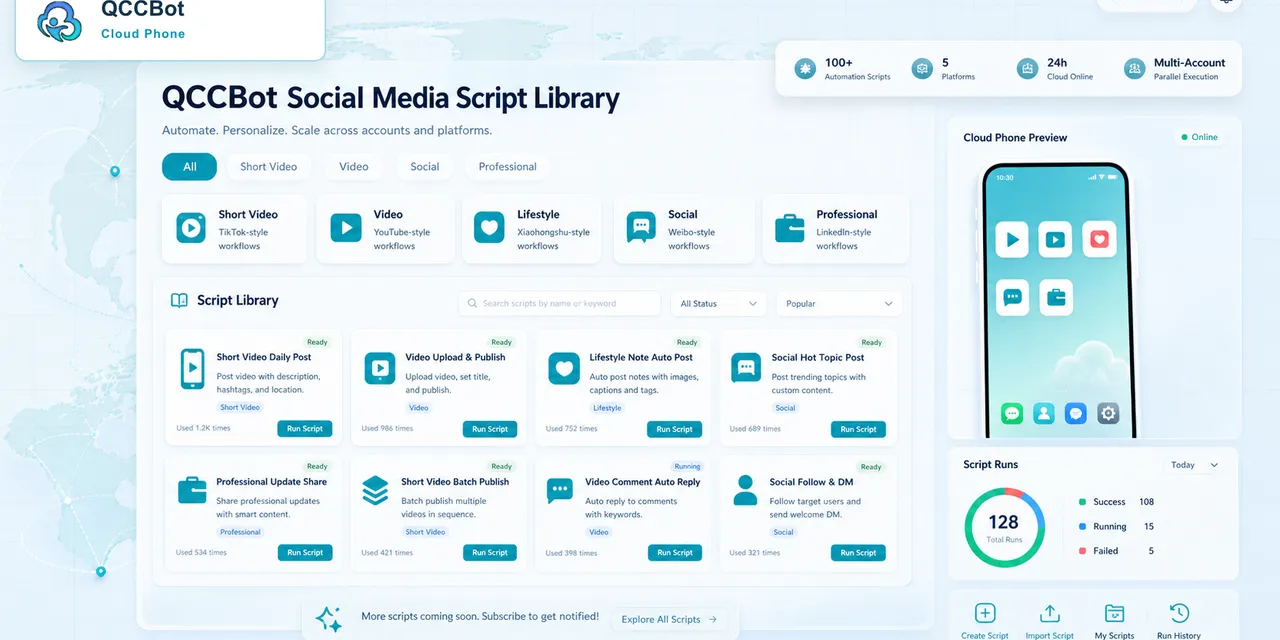
Sending a QCCBot link in Telegram looks simple.
A teammate receives the link, taps it, opens the cloud phone console, chooses the device, and enters the remote Android environment. From there, they can open apps, check state, review what happened, or continue the task.
That workflow is useful because Telegram is already where many teams coordinate.
But it is important to describe the workflow accurately. Telegram is not controlling the cloud phone by itself. Telegram is the place where the entry link is shared. QCCBot is where the cloud phone environment lives.
That distinction keeps expectations clear.
Why the Telegram entry point feels natural
Many operations teams already live in chat.
They assign tasks there. They share screenshots. They ask teammates to check accounts. They hand off work between shifts. They flag urgent issues. Telegram is not always the official operating system, but it often becomes the place where people move quickly.
So when a cloud phone link appears in Telegram, the value is obvious: the teammate can go from conversation to workspace with less friction.
The message gives context. The link opens the QCCBot console. The cloud phone holds the Android environment.
That is a practical flow.
What the link should and should not mean
A Telegram link should mean:
- “Here is the QCCBot entry point.”
- “Open the correct cloud phone environment.”
- “Review the app state inside QCCBot.”
- “Continue the task from the cloud phone console.”
It should not mean:
- Telegram directly controls every device;
- all app data should be copied into chat;
- automation happens inside Telegram;
- sensitive account states should be discussed in a group;
- the cloud phone dashboard is no longer needed.
The link is a bridge, not the whole workplace.
A realistic workflow
Imagine a team member sends a note:
“Please check the content upload on device group A.”
They include the QCCBot link. The next operator opens it, logs into the QCCBot console if needed, finds the relevant cloud phone, and enters the remote Android screen. They check the app, review whether the upload finished, and record the result.
If a script exists, they may run or review the task. If the script failed, logs and screenshots can show what happened. If the app shows a sensitive screen, the operator handles it manually.
This is not Telegram automation. It is chat-to-console handoff.
That is still valuable.
Why this matters for privacy and accuracy
Mobile app work can contain sensitive information. Login prompts, private messages, account IDs, device states, task notes, screenshots, and customer context should not be casually moved into an external chat.
Teams can use Telegram for coordination, but the detailed app state should stay inside the cloud phone environment.
This protects both clarity and privacy. Telegram remains lightweight. QCCBot remains the controlled workspace.
Where QCCBot adds value after the link opens
The useful work begins after the link brings the operator into QCCBot.
Inside QCCBot, teams can:
- view cloud phones;
- enter a remote Android environment;
- group devices by project or task;
- run AutoJS scripts;
- review task status;
- use AI assistance for script generation or debugging;
- monitor exceptions;
- keep logs for review.
That is where the operating layer lives.
Better language for teams
Instead of saying “Telegram manages cloud phones,” use more precise language:
“Telegram can be used as a coordination channel and entry point. The cloud phone environment, task execution, app state, and logs remain inside QCCBot.”
That sentence is less flashy, but it is accurate. It also helps users understand what the product actually does.
Good product content should reduce confusion, not create it.
When this workflow is useful
The Telegram entry link is useful when:
- teams coordinate in Telegram already;
- work needs to be handed off quickly;
- operators need a fast path into the QCCBot console;
- cloud phones are grouped by task or account;
- a teammate needs to review app state without searching for the right dashboard.
It is less important when one person uses one cloud phone alone.
The main takeaway
Telegram can make cloud phone work easier to start. QCCBot makes the work possible to operate.
The difference matters. One is the message layer. One is the Android execution layer.
If your team coordinates in Telegram but needs a clearer way to run and review mobile app work, visit QCCBot to learn how cloud phones, scripts, and task logs can support the workflow after the link opens.
FAQ
Does Telegram directly control QCCBot cloud phones?
No. Telegram can carry a link or task message. The actual cloud phone environment, Android screen, scripts, and logs remain inside QCCBot.
Why is a Telegram entry link useful?
It reduces friction between a team conversation and the correct cloud phone workspace. It is especially useful for handoffs and quick review tasks.
What information should stay inside QCCBot?
App state, account screens, login details, private messages, screenshots, task logs, and sensitive workflow context should stay inside the cloud phone environment.