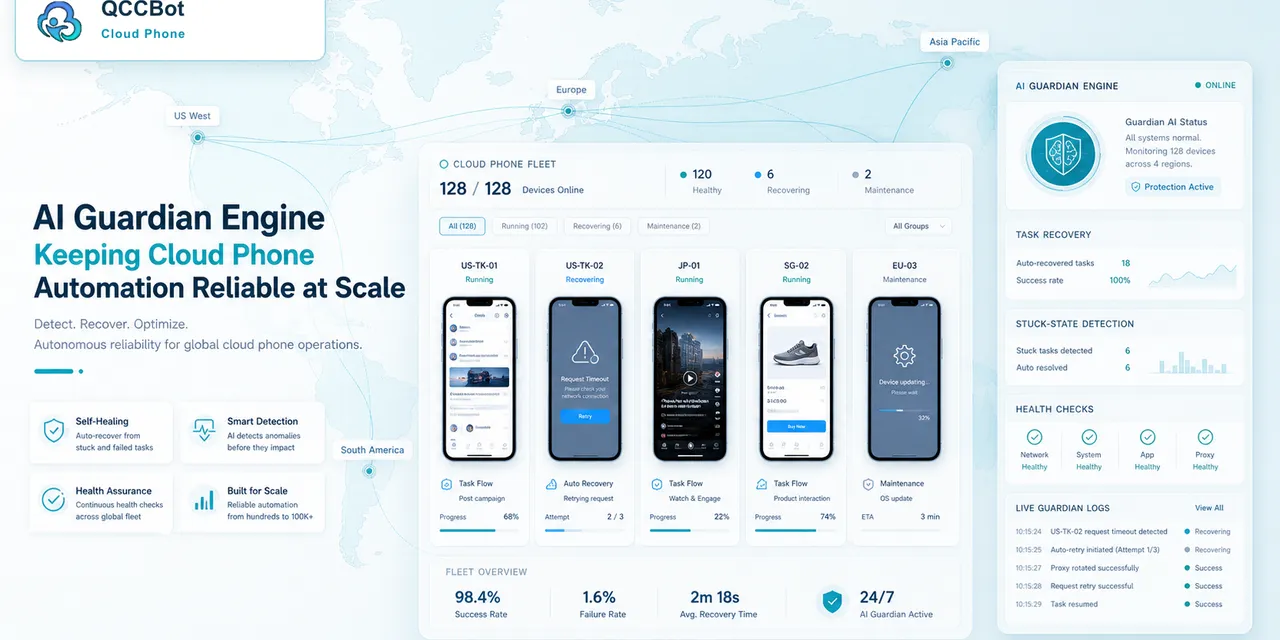
When a team runs tasks on many cloud phones, the biggest worry is simple: “Did everything really finish?”
The QCCBot AI Guardian Engine is designed to help answer that question.
The problem it solves
Automation can get stuck for many small reasons:
- An app loads slowly.
- A popup appears.
- The expected button is not there.
- The account needs attention.
- The network is unstable.
- A script step no longer matches the screen.
Without monitoring, someone has to open each phone and check manually.
What AI Guardian helps you see
AI Guardian helps teams understand task behavior across cloud phone groups.
It can help operators notice:
- Which task failed.
- Which phone needs review.
- Which step caused trouble.
- Whether a retry may help.
- Whether the script should be improved.
This makes failures easier to handle.
Why this matters for real teams
When you only use one phone, checking it is easy. When you use many phones, manual checking becomes a full-time job.
AI Guardian helps reduce that checking workload so operators can focus on the tasks that actually need attention.
A simple daily workflow
A team can use QCCBot like this:
- Run a task on a cloud phone group.
- Watch the task result.
- Let AI Guardian highlight stuck tasks.
- Review only the problem devices.
- Improve the script if the same issue repeats.
Final takeaway
The value of AI Guardian is not complicated. It helps teams see what is happening, find stuck tasks faster, and keep cloud phone automation more reliable.
Learn how QCCBot can help your team manage cloud phones and AI automation workflows.
The decision tree operators need
For AI exception recovery for cloud phone tasks, the team should have a simple decision tree.
Start with the current screen:
- If the screen is expected, continue the task.
- If it is a known safe popup, recover and record it.
- If it is a network issue, retry within a limit.
- If it is a login or security issue, mark it for review.
- If it is unknown, pause and collect context.
This keeps the workflow from becoming either too fragile or too aggressive.
How this helps teams work faster
The time saving does not come only from automation. It also comes from better triage.
When failures are grouped, a teammate can fix the biggest category first. If 20 devices hit the same popup, update that handling once. If 5 accounts need login review, send only those accounts to the person responsible. If one script selector broke, debug that script instead of opening every device.
What to document
Every repeated workflow should have a short internal note:
- what the task does;
- which cloud phone group runs it;
- what success means;
- what failures are safe to recover;
- what failures need human review;
- where to check logs;
- who owns follow-up.
This documentation does not need to be long. It just needs to prevent confusion when the task runs every day.
How QCCBot supports this pattern
QCCBot helps by putting cloud phones, script execution, AI script assistance, task logs, and exception handling in one operating flow. That makes it easier to move from manual checking to a repeatable mobile workflow.
If this sounds like the kind of mobile work your team deals with, QCCBot can help you test the workflow on cloud phones and decide what should be automated first.
How to turn this into a weekly operating routine
A useful article should leave the reader with a next step, so here is a simple routine teams can use for cloud phone automation.
First, choose one workflow owner. This does not have to be a developer. It can be the person who understands the daily mobile task best. That person should define what normal means, what abnormal means, and which situations are too sensitive for automation.
Second, create a small test group. Three to five cloud phones are enough. Run the workflow there before expanding. The goal of the test is not only to prove that the script can pass. The goal is to discover the common ways it fails.
Third, review the failed runs by category. Do not open every device in random order. Group issues into practical buckets:
- app loading or network delay;
- permission or update popup;
- account logged out;
- UI changed after app update;
- script timing problem;
- human-review case.
Fourth, improve the workflow one category at a time. If half the failures come from a permission popup, solve that first. If the biggest issue is login state, add a pre-check before the main task. This is how thin automation becomes a real operating system.
What a good internal note should include
For every repeated mobile task, keep a short internal note:
- what the task is for;
- which cloud phone group it runs on;
- what success looks like;
- what the most common failures are;
- what AI is allowed to recover;
- what must go to a human;
- where the logs are reviewed.
This note prevents the workflow from living only in one person’s head.
The practical takeaway
The goal is not to make every mobile task fully automatic on day one. The goal is to make the work less blurry. Once the team can see the task state, failure reason, and review queue, automation becomes easier to trust.
That is the type of workflow QCCBot is meant to support: repeated Android app work that needs cloud phones, scripts, AI debugging, logs, and controlled exception handling in one place.
A clearer way to define AI task recovery
AI task recovery does not mean the system should keep tapping until something happens. In a cloud phone workflow, recovery means the platform can recognize a limited set of expected failure states, apply a safe response, and record what happened for review.
That definition matters because mobile automation is full of edge cases. A slow app load, a permission popup, and an account recovery page should not be treated as the same kind of failure.
Recovery should be designed around categories
Teams get better results when they classify failures before deciding what AI can do.
| Failure category | Good AI behavior | Human boundary |
|---|---|---|
| Slow loading | Wait, retry, then log the delay | Stop if retries keep failing |
| Known popup | Close or handle if the rule is approved | Stop if the popup is new |
| UI changed | Capture context and flag script review | Do not guess through new screens |
| Account login | Mark for human review | Do not enter credentials automatically |
| Security prompt | Pause and preserve context | Human decision required |
This is the difference between reliable automation and risky automation. The goal is not to make AI more aggressive. The goal is to make recovery rules visible, limited, and reviewable.
FAQ
What is an AI Guardian Engine in cloud phone automation?
An AI Guardian Engine monitors task execution, detects common failure states, and helps route each issue to the right response. In QCCBot, that can mean retrying safe exceptions, flagging human-review cases, or helping operators understand why a task stopped.
Should AI recover every failed mobile script?
No. AI recovery is useful for known, low-risk, repeatable exceptions. Login, payment, identity, account recovery, and security prompts should remain human-controlled.
Why does failure classification matter?
Without categories, every failure looks like “the script failed.” With categories, teams can see whether the issue is app loading, UI change, account state, permission prompt, or a human-review case. That makes the next fix much clearer.