One cloud phone is easy to watch.
Five cloud phones are manageable.
Fifty cloud phones are a different job.
At that point, the problem is no longer remote access. The problem is attention. No operator can carefully watch every screen, remember every task state, notice every popup, and still make good decisions. The team needs a way to know which devices are fine, which devices need attention, and which failures are repeating across the fleet.
The question becomes: how do you manage cloud phones without turning the dashboard into a wall of tiny screens?
The screen is not the only signal
Many teams start by trying to view everything. That feels safe because the screen is familiar. If someone can see the phone, they can understand what is happening.
But at scale, visual monitoring breaks down.
Operators begin to miss details. They open the same normal device repeatedly while another device stays stuck. They rely on screenshots without knowing when they were taken. They ask teammates whether a task finished because the system did not say clearly.
The screen is useful, but it should not be the only monitoring signal.
What a scalable monitoring layer needs
A cloud phone fleet needs structured status, not just remote display.
Useful signals include:
- device status: online, offline, running, stopped;
- task status: pending, running, completed, failed, needs review;
- failure reason: timeout, selector error, popup, login state, unknown screen;
- last screenshot: what the app showed when the status changed;
- task group: which project, account, or workflow this device belongs to;
- recovery status: whether retry or AI assistance was attempted;
- owner: who should review the issue.
These signals allow the team to scan the fleet without watching every device in real time.
Grouping matters more than the grid
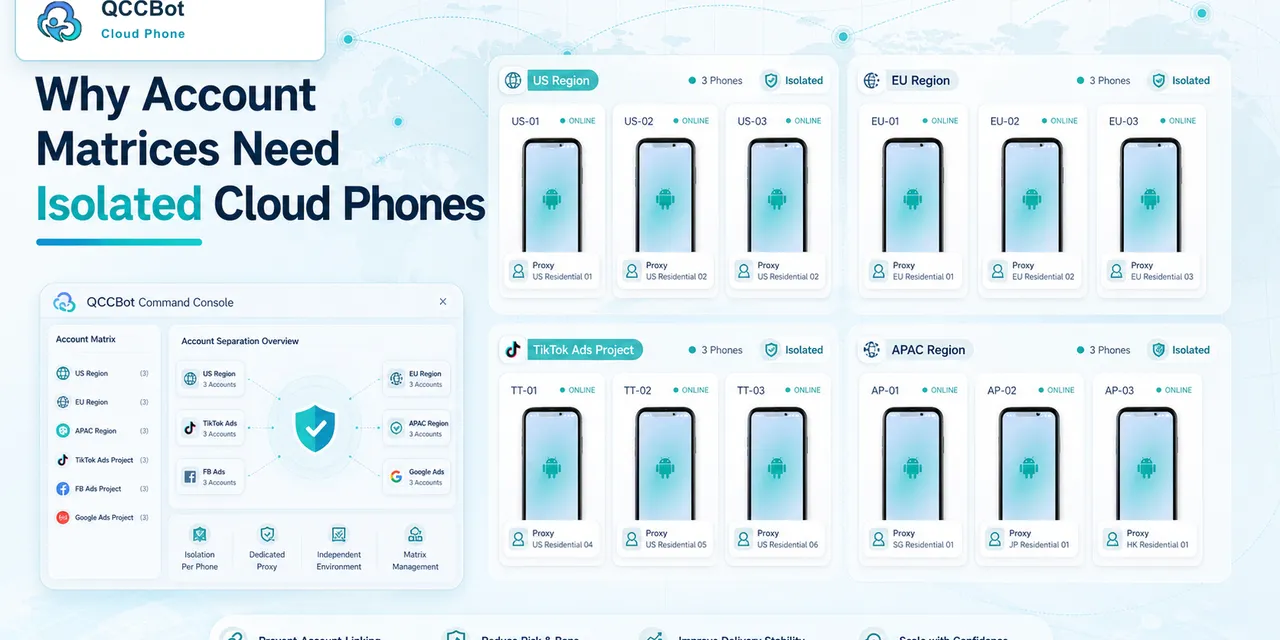
When there are many cloud phones, a flat list becomes confusing.
Teams usually need to group devices by:
- project;
- customer;
- region;
- app;
- account type;
- workflow;
- test environment;
- operator responsibility.
Grouping makes monitoring human. Instead of asking “Which of these fifty phones is important?” the operator can ask “Which devices in this campaign need review?” or “Which phones running this script failed?”
QCCBot’s value is strongest when cloud phones, scripts, and task states are connected. A device should not be an isolated rectangle on a screen. It should belong to an operational context.
Exception queues beat screen watching
The most useful view is often not “all devices.” It is “devices that need attention.”
An exception queue can surface:
- scripts that stopped unexpectedly;
- devices stuck on known popups;
- accounts logged out;
- repeated failures across a group;
- tasks that exceeded expected runtime;
- screens that need human review.
This shifts the operator’s job from staring to triage.
That matters because human attention is expensive. A good system should spend human attention only where it changes the outcome.
Where AI helps
AI should not be used as a vague promise that everything will be handled automatically. It is more useful when applied to specific monitoring problems:
- identifying that a task is stuck;
- classifying common error patterns;
- helping generate or repair AutoJS scripts;
- suggesting why a selector failed;
- attempting controlled recovery for approved exceptions;
- summarizing repeated failure patterns.
QCCBot’s AI Guardian-style monitoring and xeasy code AI fit this practical model. They help operators understand and improve workflows instead of forcing someone to manually inspect every device.
The human role becomes clearer
When monitoring is structured, humans do not disappear. Their role becomes more focused.
Humans should handle:
- sensitive app states;
- customer or account decisions;
- unfamiliar screens;
- repeated failures that require process change;
- approval of new recovery rules;
- review of logs after AI-assisted recovery.
This is a better division of labor. Scripts handle repetition. AI helps with diagnosis and selected recovery. People handle judgment.
A simple operating model
For teams scaling beyond a handful of cloud phones, the operating model can be simple:
- Group devices by project or workflow.
- Run repeatable tasks with scripts.
- Monitor task state, not only screens.
- Route exceptions into a review queue.
- Use AI assistance for debugging and approved recovery.
- Review logs before expanding automation.
This model is less exciting than a wall of screens, but it works better.
If your team is managing many Android environments and spending too much time checking screens manually, QCCBot can help organize cloud phones, scripts, task states, exception handling, and AI-assisted monitoring in one place.
FAQ
Can one person monitor dozens of cloud phones manually?
They can open them, but they cannot reliably inspect every state in real time. At scale, teams need grouped devices, task status, exception queues, screenshots, and logs.
Why are logs important for cloud phone monitoring?
Logs show what happened before a failure, not just the final screen. They help teams fix scripts, identify repeated issues, and decide what needs human review.
How does AI help with monitoring?
AI can help classify failures, debug scripts, detect stuck tasks, and assist with controlled recovery for approved exception types.