The first demo is usually the easiest part of mobile automation.
One phone. One account. One app version. One clean path. The script opens the app, taps the expected button, finishes the task, and everyone in the room feels the same relief: this can be automated.
Then the workflow meets real operations.
The app loads slowly on one device. Another account is logged out. A permission prompt appears on a third phone. A button moves after an app update. A screen that looked stable yesterday has a new banner today. The same script that worked beautifully in the demo now stops halfway through a batch run.
This is the gap between “it works” and “it keeps working.”
The first run hides the real problem
A successful first run proves that the task can be described. It does not prove that the task is stable.
Mobile apps change. They are affected by network quality, account history, app version, location settings, permissions, keyboard behavior, popups, and previous user actions. A physical phone may be in one state. A cloud phone may be in another. A script may assume a homepage, but the app may open to a message, a notification, or a login screen.
The fragile part is rarely the main path. It is everything around the main path.
That is why teams often say, “The script worked yesterday.” They are telling the truth. The environment changed.
What breaks first
Most failed mobile automation does not fail because the original idea was wrong. It fails because the workflow did not plan for ordinary variation.
Common failure points include:
- a permission prompt blocking the next tap;
- a login session expiring;
- an app update changing text or layout;
- a slow network causing the script to move too early;
- a device starting from the wrong page;
- an unexpected notification covering a button;
- an account needing verification;
- a batch task continuing after one device failed.
These are not rare edge cases. They are normal mobile operations.
The wrong fix is “make the script longer”
When a script fails, the first reaction is often to add more conditions. If this popup appears, close it. If that button is missing, wait longer. If the page is wrong, go back twice.
Some of that is necessary. But after a while, the script becomes a pile of patches. No one knows which condition is still needed. Debugging becomes harder than rewriting. Operators become afraid to change anything because every fix may break another path.
The better answer is not simply a longer script. It is a better operating loop.
A better loop for mobile automation
Stable mobile automation needs four things:
- A controlled Android environment where the app state is visible.
- A script that handles the common path clearly.
- Monitoring that can identify where the task stopped.
- A recovery policy that decides what can be retried, what can be handled by AI, and what must stop for a human.
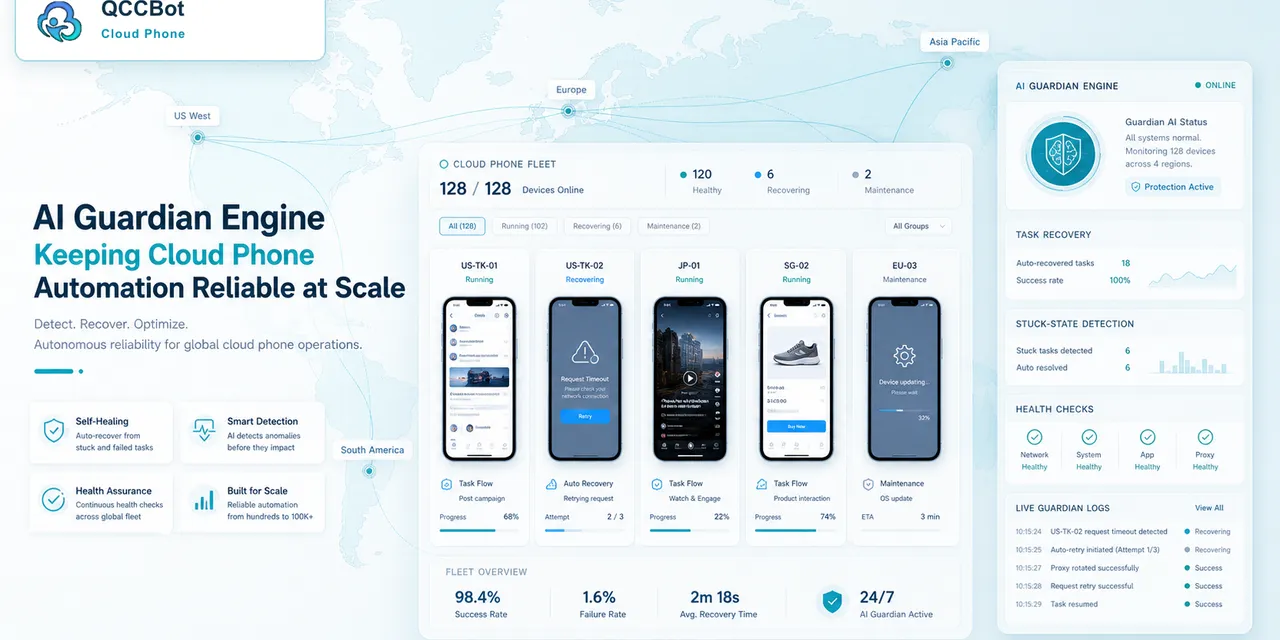
This is where QCCBot’s model is practical. AutoJS scripts handle repeatable actions. xeasy code AI helps generate and debug the script. AI Guardian-style monitoring helps detect stuck or abnormal states. Controlled AI takeover can be enabled for selected exceptions instead of being treated as unlimited autonomy.
That combination matters because it turns failure into information.
What operators need to know when a task fails
A failed mobile task should answer more than “failed.”
The team should be able to see:
- which cloud phone failed;
- what screen appeared;
- whether the script failed on a selector, timeout, popup, login, or unknown state;
- whether other devices failed in the same way;
- whether the issue is safe to retry;
- whether the script needs an update.
When this information is missing, operators have to open devices one by one. When it is available, the team can improve the workflow.
Demo success is not the finish line
A demo shows possibility. Operations require repeatability.
Before scaling a mobile automation task, teams should test across several cloud phones, account states, and app conditions. They should intentionally include messy states, because those are the states that cause real work to fail.
Ask:
- What happens if the app opens on a different page?
- What happens if the network is slow?
- What happens if a permission prompt appears?
- What happens if one device fails during a batch run?
- What is safe for AI to recover?
- What should stop for a human?
The answers to these questions become the difference between automation that looks good and automation that can be trusted.
If your team has scripts that work in demos but fail in real runs, QCCBot can help connect cloud phones, AutoJS scripts, AI debugging, and task recovery into one operating workflow.
FAQ
Why does mobile automation fail after the first successful run?
Because the first run usually uses a clean path. Real mobile app work includes popups, expired sessions, app updates, slow loading, permission prompts, and different starting screens.
Should every script failure be fixed with more code?
No. Some failures need better script logic, but others need monitoring, logs, retry rules, or human review. A longer script is not always a more stable script.
How can QCCBot help with unstable scripts?
QCCBot provides cloud Android environments, AutoJS execution, AI-assisted script generation and debugging, task monitoring, logs, and controlled exception recovery.