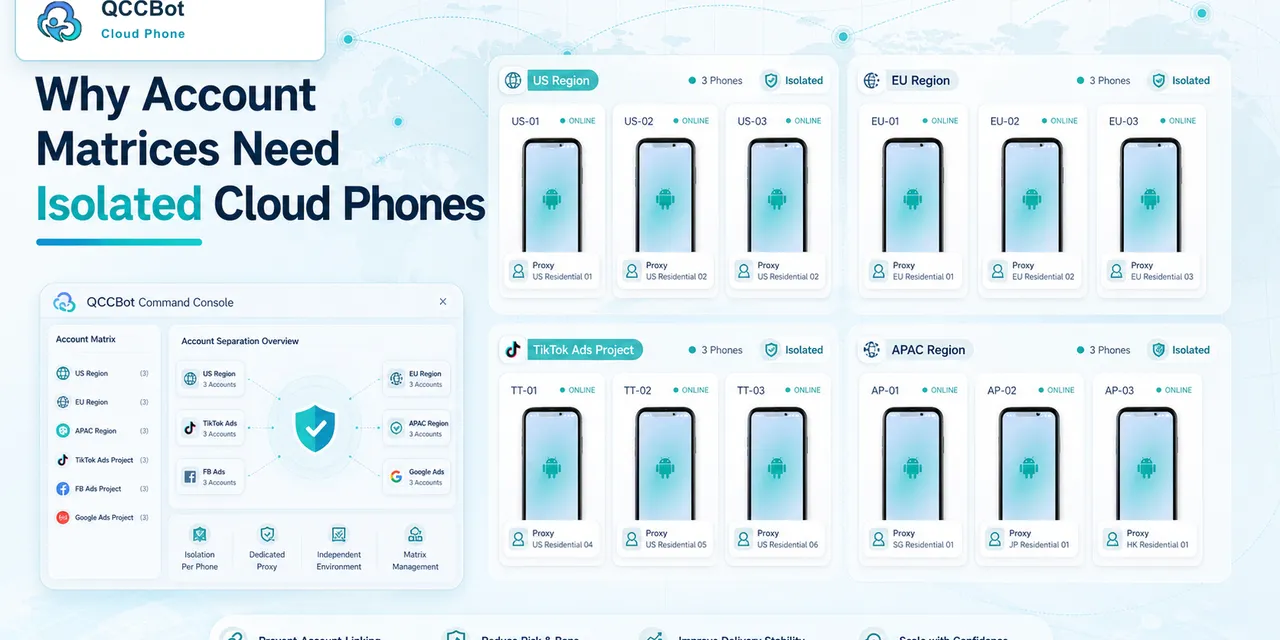
Mobile app behavior can change by region.
Content may load differently. Store pages may show different products. Social feeds may vary. Some accounts may need different network or proxy settings. Some app features may appear in one market and not another.
For cross-border teams, this creates a recurring task:
Check what the app looks like in different regions.
What teams search for
Operators may search:
- “test mobile app by region”
- “cloud phone region testing”
- “check app in different countries”
- “cross-border app account testing”
- “Android cloud phone proxy workflow”
These are practical searches from teams trying to reduce manual testing.
Why physical phones are hard to manage
Physical phones can work for small tests, but they become messy at scale.
Problems include:
- devices are hard to share remotely;
- accounts get mixed across phones;
- proxy settings are inconsistent;
- screenshots are hard to organize;
- team members forget which phone belongs to which region;
- repeated checks take too long.
Cloud phones make the environment easier to group and repeat.
A region testing workflow
A practical workflow can look like this:
- Create cloud phone groups by market.
- Assign accounts to the right group.
- Configure the network or proxy as needed.
- Open the target app.
- Check the target screen.
- Record whether content loads normally.
- Mark abnormal accounts for review.
This is simple enough for operators and structured enough for teams.
What to check
Depending on the app, teams may check:
- home page loading;
- product or store page display;
- upload availability;
- message or notification pages;
- app language or region-specific content;
- login state;
- warning prompts;
- network stability.
The exact checklist should match the business task.
Where AI helps
AI can help identify abnormal screens and summarize logs.
For example, it can help classify whether a failed check is caused by:
- network loading;
- login expiration;
- app warning;
- missing page;
- permission popup;
- unknown state.
This reduces the number of devices humans need to inspect manually.
What not to automate blindly
Region testing often touches account safety and platform policy.
Do not automatically click through security warnings, verification prompts, or policy messages. Those should be reviewed by a person.
Automation should help collect evidence and reduce repetitive checks, not hide important warnings.
How QCCBot fits
QCCBot supports cloud phone groups, proxy configuration, task execution, logs, and AI-assisted exception handling.
For cross-border teams, that means region-based mobile checks can become repeatable workflows instead of scattered manual phone work.
If your team needs to test Android app behavior across regions, QCCBot can help organize cloud phone groups and AI-assisted mobile checks.
How to document region test results
Region testing becomes much easier when results follow the same format every time.
A useful record includes:
- market or region;
- cloud phone group;
- account used for testing;
- network or proxy setting;
- app version;
- page checked;
- expected result;
- actual result;
- screenshot or log reference;
- whether human review is needed.
This record helps teams compare markets without relying on memory.
Common mistakes in region testing
The first mistake is mixing accounts from different markets in one device group. That makes results hard to trust.
The second mistake is changing network settings without recording them. If a page behaves differently, the team needs to know whether the account, app, or network changed.
The third mistake is only checking once. Region behavior may change after app updates, campaign launches, or account status changes.
Where AI helps the most
AI is most helpful after the task runs. It can help summarize what changed, classify failed screens, and explain whether the issue looks like login, network, permission, or unknown state.
That keeps region testing understandable for operators who do not want to read raw logs all day.
A simple region test template
Teams can start with a lightweight template instead of building a complex testing system.
For each region, record:
- device group;
- proxy or network route;
- app version;
- account type;
- login result;
- homepage result;
- upload or checkout entry result;
- language or currency differences;
- warning or restriction prompts;
- screenshots for unusual states.
This template is enough to compare regions without relying on memory. It also gives the team a shared record when product, marketing, and operations people need to discuss the same issue.
When region testing becomes important
Region testing matters most before a launch, campaign, or account expansion.
If a team waits until the campaign is live, small mobile differences become urgent problems. A button label changes, a page loads slowly in one region, or an account sees a different prompt. None of these issues are dramatic alone, but together they slow down execution.
Cloud phones help because the team can prepare region groups ahead of time, run the same checks repeatedly, and keep results comparable.