Mobile app testing often means repeating the same steps many times: install the app, open it, log in, tap through screens, check results, and record issues.
AI cloud phones can make this easier.
Why testing on real Android matters
Some problems only appear in a real mobile environment. A browser or mock screen may not show the same behavior as an Android app.
Real Android cloud phones help QA teams test things like:
- App launch.
- Login flow.
- Permission prompts.
- Upload steps.
- Screen changes.
- Network behavior.
- Repeated user actions.
Where AI helps QA
AI can help turn test steps into repeatable scripts. It can also help identify where a test stopped.
For example, a tester may describe:
“Open the app, log in, go to the profile page, upload an image, and confirm success.”
An AI-assisted workflow can help create a starting script. The QA team can then test and refine it.
Why cloud phones are useful
Cloud phones make it easier to test across many devices without buying and maintaining every physical phone.
Teams can create device groups for:
- Different app versions.
- Different regions.
- Regression testing.
- New feature testing.
- Daily smoke tests.
A simple QA workflow
Start with one repeated test:
- Choose a common app flow.
- Run it on a small cloud phone group.
- Check logs.
- Fix the script if needed.
- Run it again.
- Add more devices later.
This helps QA teams reduce manual repetition while keeping review in place.
Final takeaway
AI cloud phones do not replace QA people. They help QA teams spend less time repeating basic steps and more time finding real product problems.
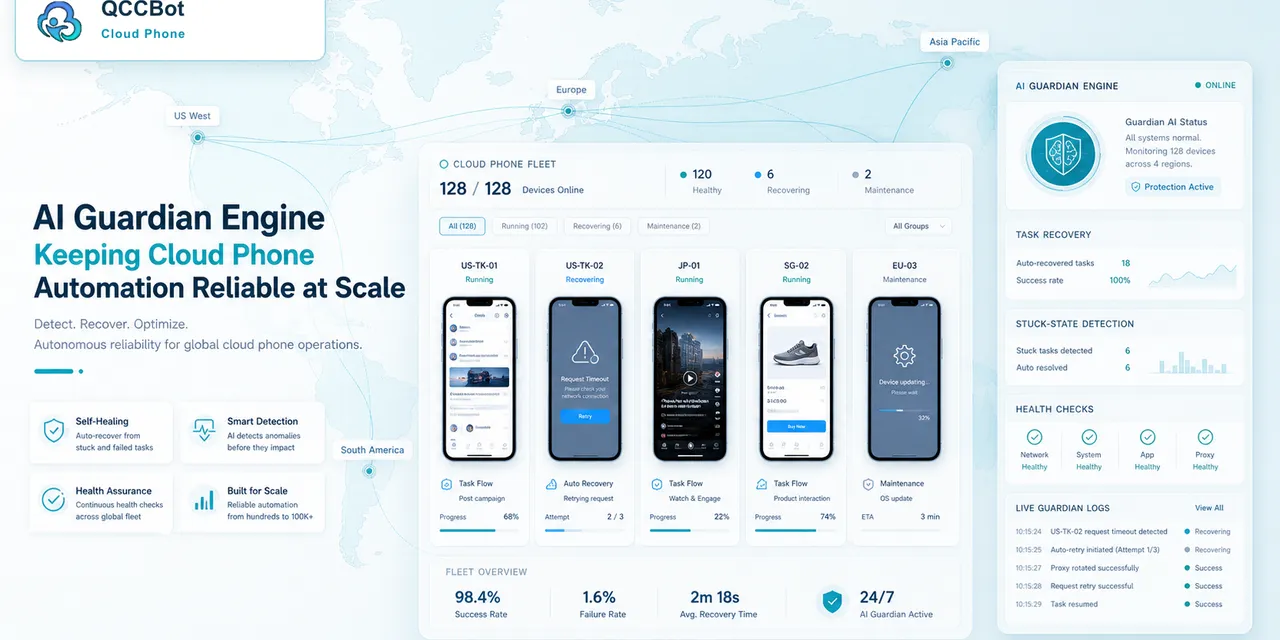
QCCBot gives teams cloud Android devices, scripts, logs, and AI-assisted monitoring for repeated mobile app testing.
Learn how QCCBot can help your team manage cloud phones and AI automation workflows.
The decision tree operators need
For mobile app QA with cloud phones, the team should have a simple decision tree.
Start with the current screen:
- If the screen is expected, continue the task.
- If it is a known safe popup, recover and record it.
- If it is a network issue, retry within a limit.
- If it is a login or security issue, mark it for review.
- If it is unknown, pause and collect context.
This keeps the workflow from becoming either too fragile or too aggressive.
How this helps teams work faster
The time saving does not come only from automation. It also comes from better triage.
When failures are grouped, a teammate can fix the biggest category first. If 20 devices hit the same popup, update that handling once. If 5 accounts need login review, send only those accounts to the person responsible. If one script selector broke, debug that script instead of opening every device.
What to document
Every repeated workflow should have a short internal note:
- what the task does;
- which cloud phone group runs it;
- what success means;
- what failures are safe to recover;
- what failures need human review;
- where to check logs;
- who owns follow-up.
This documentation does not need to be long. It just needs to prevent confusion when the task runs every day.
How QCCBot supports this pattern
QCCBot helps by putting cloud phones, script execution, AI script assistance, task logs, and exception handling in one operating flow. That makes it easier to move from manual checking to a repeatable mobile workflow.
If this sounds like the kind of mobile work your team deals with, QCCBot can help you test the workflow on cloud phones and decide what should be automated first.
How to turn this into a weekly operating routine
A useful article should leave the reader with a next step, so here is a simple routine teams can use for cloud phone automation.
First, choose one workflow owner. This does not have to be a developer. It can be the person who understands the daily mobile task best. That person should define what normal means, what abnormal means, and which situations are too sensitive for automation.
Second, create a small test group. Three to five cloud phones are enough. Run the workflow there before expanding. The goal of the test is not only to prove that the script can pass. The goal is to discover the common ways it fails.
Third, review the failed runs by category. Do not open every device in random order. Group issues into practical buckets:
- app loading or network delay;
- permission or update popup;
- account logged out;
- UI changed after app update;
- script timing problem;
- human-review case.
Fourth, improve the workflow one category at a time. If half the failures come from a permission popup, solve that first. If the biggest issue is login state, add a pre-check before the main task. This is how thin automation becomes a real operating system.
What a good internal note should include
For every repeated mobile task, keep a short internal note:
- what the task is for;
- which cloud phone group it runs on;
- what success looks like;
- what the most common failures are;
- what AI is allowed to recover;
- what must go to a human;
- where the logs are reviewed.
This note prevents the workflow from living only in one person’s head.
The practical takeaway
The goal is not to make every mobile task fully automatic on day one. The goal is to make the work less blurry. Once the team can see the task state, failure reason, and review queue, automation becomes easier to trust.
That is the type of workflow QCCBot is meant to support: repeated Android app work that needs cloud phones, scripts, AI debugging, logs, and controlled exception handling in one place.