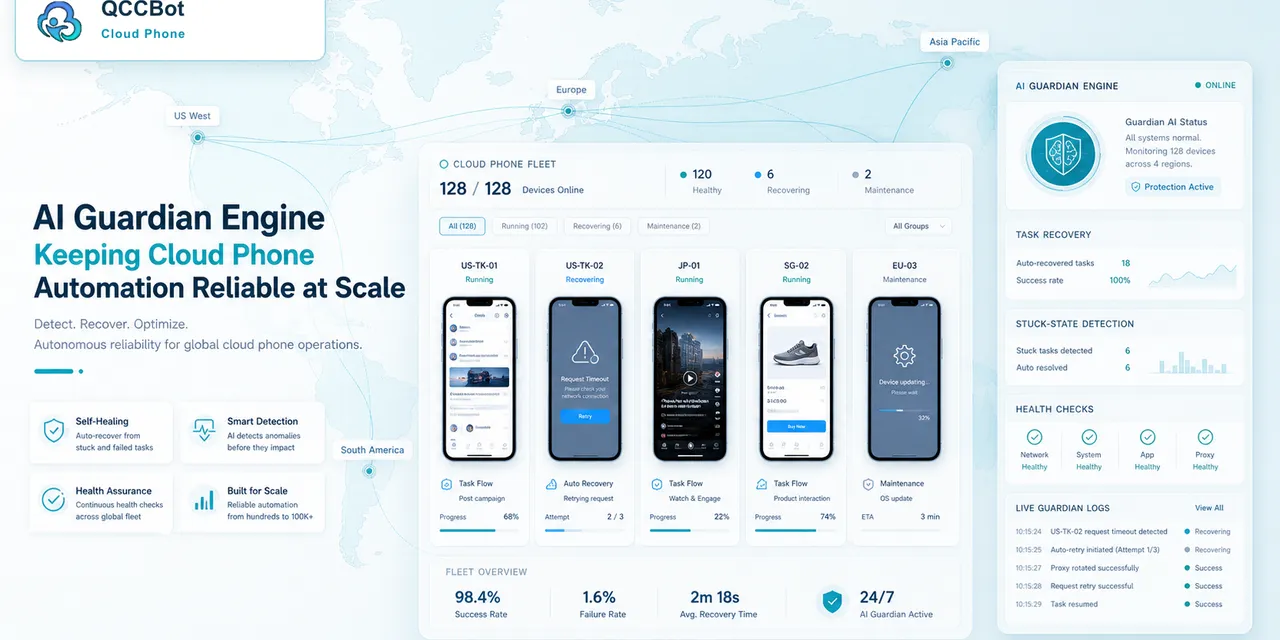
AI agents are getting better at planning tasks, reading screens, and deciding next steps. But planning is not the same as operating a real mobile app workflow.
For mobile work, an AI agent needs an operating layer: somewhere to run Android apps, execute actions, record logs, and handle exceptions safely.
The short answer
A mobile AI agent needs more than intelligence. It needs cloud phones, scripts, app state, task logs, recovery rules, and human review boundaries. Without that layer, the agent may understand the task but fail when it reaches real Android app conditions.
Why mobile apps are different
Mobile apps include many conditions that web tasks may not have:
- app permissions;
- push notifications;
- login state;
- device storage;
- update prompts;
- loading delays;
- app-only screens;
- region-specific behavior.
An AI agent can describe what should happen. The operating layer makes it possible to run, observe, and manage what actually happens.
What the operating layer should include
A useful mobile operating layer needs:
- real or cloud-based Android environments;
- a way to group devices by project or account;
- script execution;
- logs and screenshots;
- AI-assisted debugging;
- safe exception recovery;
- human review queues.
This is the difference between a demo and a repeatable workflow.
A practical scenario
An AI agent is asked to check whether a group of app accounts is ready for a campaign.
It can plan the checklist, but it also needs to:
- open the app on each cloud phone;
- confirm login state;
- detect blocking screens;
- retry safe failures;
- stop on sensitive prompts;
- report which accounts need attention.
That requires an operating layer, not just a chat interface.
Why boundaries matter
AI agents should not be allowed to improvise endlessly inside sensitive mobile workflows. The team needs clear rules:
- what AI can retry;
- what AI can close;
- what AI can modify;
- when AI must stop;
- what gets logged.
Boundaries make AI more useful because operators can trust the workflow.
Where QCCBot fits
QCCBot gives mobile AI workflows an operating layer: Android cloud phones, AutoJS scripts, xeasy code AI generation, AI debugging, task logs, and controlled exception takeover.
For teams exploring mobile AI agents beyond browser tasks, QCCBot’s official website explains how cloud phones provide the execution layer for real Android app workflows.
FAQ
Can an AI agent operate mobile apps without cloud phones?
Only in limited cases. If the task requires real app state, permissions, or Android UI, a cloud phone environment is usually needed.
Why not let AI control everything?
Because mobile workflows can include account, security, and irreversible actions. AI needs recovery boundaries.
What is the first step?
Start with one repeated mobile workflow, define safe and unsafe exceptions, then test it on a small cloud phone group.
What “operating layer” means in plain English
An operating layer is the part of the system that turns an AI plan into a controlled mobile workflow. It gives the agent a real Android environment, task rules, logs, recovery limits, and a way to hand uncertain cases back to humans.
Without that layer, the AI may understand the request but still have nowhere reliable to run it. It might describe the right action while failing on a permission screen, app update prompt, login state, or device-specific condition.
The four pieces a mobile AI workflow needs
| Piece | Why it matters |
|---|---|
| Android cloud phones | Provide the app environment where the work actually happens |
| Scripts or tool calls | Convert goals into repeatable actions |
| Logs and state checks | Show what happened across devices |
| Human review boundaries | Stop AI from acting on sensitive or unknown screens |
This is why the phrase “mobile AI agent” should not only mean a smart model. The useful product is the full system around the model.
A realistic workflow example
A team wants to know which mobile accounts are ready before a campaign. The AI agent can help organize the check, but QCCBot provides the execution layer:
- open the right cloud phone group;
- inspect app and device readiness;
- run approved checks;
- summarize failures by category;
- stop on sensitive states;
- tell the operator which devices need manual review.
That is more practical than asking AI to improvise inside random phone screens.