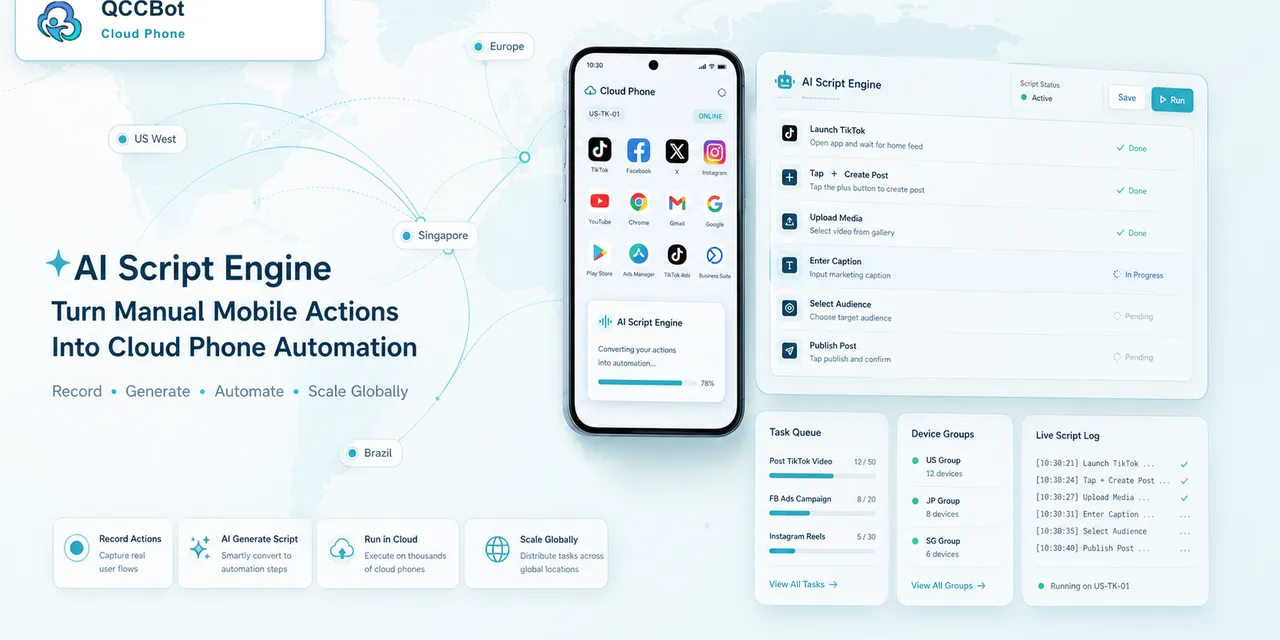
Many operations teams want automation, but they do not want to become software teams.
They need practical help with mobile tasks:
- open an app;
- check an account;
- upload content;
- clear cache;
- browse a few screens;
- record a result.
This is where low-code mobile automation becomes useful.
What non-technical teams search for
They may search:
- “automate Android app without coding”
- “AI generate AutoJS script”
- “cloud phone automation for operators”
- “low code mobile app automation”
- “how to automate phone tasks”
The search intent is clear: reduce repetitive work without building a full engineering project.
Start with one simple task
Do not start with a huge workflow.
Choose a task that is:
- repeated often;
- easy to verify;
- low risk;
- limited to one app;
- easy to describe in plain language.
Good first tasks include:
- account status checks;
- app launch checks;
- content loading checks;
- cache clearing;
- basic upload readiness checks.
Describe the task clearly
AI can generate better scripts when the task is specific.
Instead of saying:
“Automate TikTok.”
Say:
“Open the app, check whether the account reaches the home page, record normal if it does, record abnormal if it lands on login or a popup.”
Clear instructions create better first drafts.
Use cloud phones for testing
Cloud phones give non-technical teams a safer way to test automation.
Instead of using personal devices or passing phones around, the team can run the script on controlled Android cloud phones.
Start with one device. Then test on a small group. Only expand after the logs are understandable.
What AI can help with
AI can help:
- draft the AutoJS script;
- explain why a script failed;
- suggest waiting or selector changes;
- classify common errors;
- help operators understand logs.
This does not remove the need for review. It reduces the amount of manual script work.
What humans should still decide
Humans should decide:
- whether the task is safe to automate;
- what success means;
- what should stop the task;
- which exceptions AI can recover;
- which exceptions need review.
Low-code automation works best when humans define the workflow and AI helps execute it.
How QCCBot fits
QCCBot gives non-technical teams a practical starting point: Android cloud phones, xeasy code AI for AutoJS generation and debugging, task logs, and controlled AI exception handling.
The goal is not to turn operators into developers. The goal is to help them automate the repetitive mobile work they already understand.
If your team wants to start mobile automation without building everything from scratch, QCCBot can help you test low-code Android app workflows on cloud phones.
A beginner project you can try
A good first project is an app launch and account status check.
The task can be described like this:
“Open the app. Wait for the home page. If the home page appears, record normal. If the login page appears, record login required. If a popup appears, record popup. If the app does not load, record loading failure.”
This task teaches the core ideas:
- how to describe a mobile workflow;
- how AI turns the description into a script draft;
- how cloud phones provide test devices;
- how logs show the result;
- how exceptions are separated from normal results.
It is small, but it is useful.
How to know when to expand
Do not expand because the first run succeeded once.
Expand when:
- the task has a clear success state;
- the common failures are known;
- logs are readable;
- the team knows which issues need review;
- the script has been tested on a small group.
This prevents low-code automation from becoming low-quality automation.
Why non-technical teams can still own the workflow
The operator knows the real task better than anyone. They know which page should appear, which warning matters, and which account state is acceptable.
AI and cloud phones help execute that knowledge. They do not replace it.
A simple first project for a non-technical team
Choose one workflow that is repeated every day and has a clear result.
Good first projects include:
- checking whether accounts are logged in;
- confirming that an app page loads;
- opening a publishing screen;
- checking whether a warning appears;
- collecting screenshots for review;
- running a simple comment or message check.
Avoid starting with workflows that make irreversible changes. The first win should be visibility and consistency, not risky action.
How to describe a workflow to AI
The best prompts are specific and ordinary.
Instead of saying, “automate account management,” describe the actual steps:
“Open the app, wait for the home page, check whether the account is logged in, go to the message tab, record whether there are unread messages, and stop if a security warning appears.”
This kind of prompt gives AI enough structure to generate a more useful AutoJS script. It also makes the result easier for the team to review because everyone understands the process being automated.