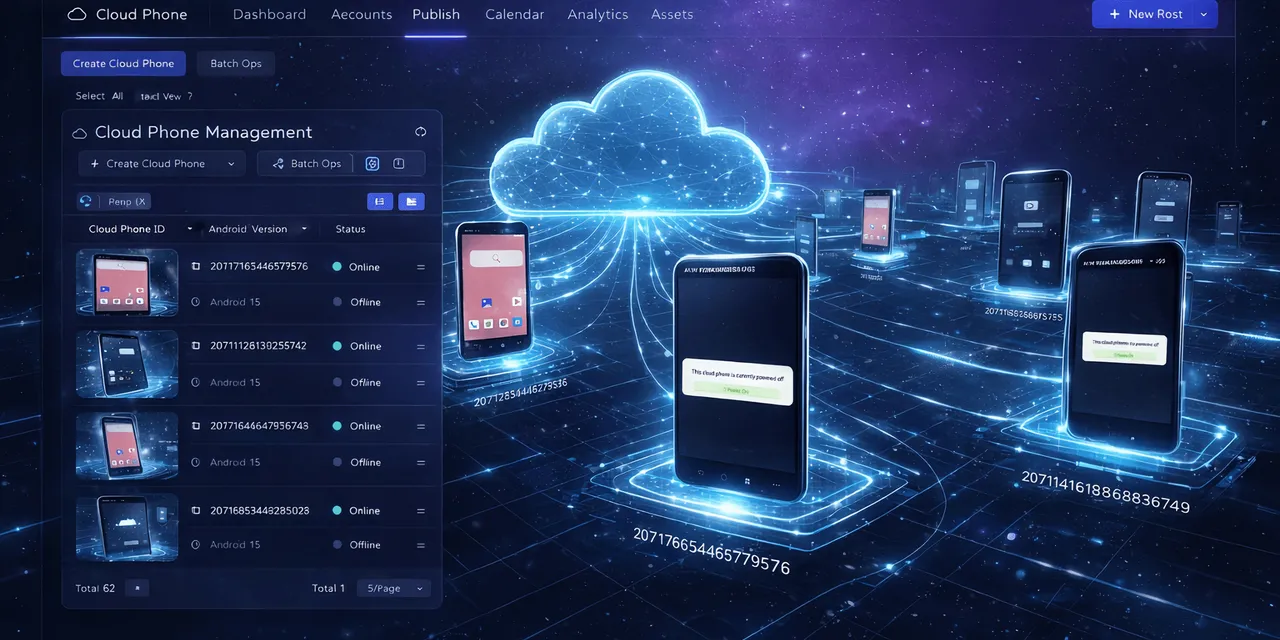
AI tools are getting better at understanding instructions. You can ask GPT to draft a message, summarize a document, write a script, compare options, or plan a workflow in plain language.
But many mobile teams run into the same wall:
GPT can understand what should happen, but the work still has to happen inside a real mobile app.
That is where cloud phones become important. A browser tab is not the same as an Android device. A spreadsheet is not the same as an app account. A generated script is not useful until it can run on a device, see what happened, and recover when the app behaves differently than expected.
So the better question is not “Can GPT magically control a phone?”
The better question is:
How do we connect GPT-style intelligence to real Android cloud phones in a way that operators can actually use?
What “GPT using a cloud phone” really means
When people say they want GPT to use a cloud phone, they usually do not mean that GPT becomes a person holding a phone.
They mean something more practical:
- I describe a mobile task in natural language.
- AI helps turn that task into a workflow or AutoJS script.
- The workflow runs on a real Android cloud phone.
- The system records what happened.
- If something fails, AI helps diagnose the reason.
- If the team allows it, AI can try to recover from specific safe errors.
That is the useful version of AI-controlled mobile work.
It keeps GPT in the role where it is strongest: understanding intent, generating steps, explaining errors, and improving scripts. It keeps QCCBot in the role where a cloud phone platform is needed: running Android apps, managing devices, executing scripts, and tracking task state.
Why mobile operations need more than a web agent
Many AI agent demos happen in a browser. That makes sense because websites are easier to inspect and control.
Mobile app work is different.
An Android app has its own state:
- the account may be logged in or logged out;
- permissions may be missing;
- a region-specific page may appear;
- a popup may cover the button;
- the app may update its layout;
- one account may behave differently from another;
- a task may work on one phone and fail on five others.
This is why a GPT-generated plan alone is not enough. The plan needs an execution environment.
For mobile work, that execution environment is the cloud phone.
A normal workflow: from prompt to cloud phone task
Imagine an operator wants to check a group of app accounts before a campaign goes live.
The operator should not have to manually open every device, enter every app, and inspect every screen one by one. But the operator also should not blindly trust a script with no visibility.
A more practical workflow looks like this:
- The operator writes the task in plain language.
- GPT or an AI scripting assistant helps turn that task into an AutoJS-style workflow.
- QCCBot runs the workflow on selected cloud phones.
- The platform records which devices passed, failed, or got stuck.
- AI helps explain repeated failures, such as a changed button, login prompt, or permission screen.
- The team decides which errors can be retried automatically and which need human review.
This is not science fiction. It is simply the missing bridge between AI reasoning and Android execution.
Where QCCBot fits in that bridge
QCCBot is built for teams that need real cloud phones, not just browser automation.
The platform brings several pieces together:
- isolated Android cloud phones for different accounts, projects, or regions;
- a script library for common mobile operations;
- xeasy code AI for generating and debugging AutoJS scripts;
- AI-assisted error analysis when scripts fail;
- optional AI takeover for selected abnormal script states;
- logs and task status so operators can see what happened.
The important part is that QCCBot does not ask teams to treat AI as a black box.
Operators can still decide:
- which cloud phone group should run the task;
- whether a workflow should be tested on a small batch first;
- which errors are safe to retry;
- whether AI takeover should be enabled;
- which sensitive states require human review.
That control matters. In real operations, “AI can do it” is less important than “the team can trust what happened.”
A concrete example: content workflow checks
Suppose a small team runs repeated checks across several mobile app accounts.
The team wants to confirm that each account can open the app, reach the correct page, and prepare for the next operation. A person could do this manually, but the task becomes painful when there are dozens of accounts.
With QCCBot, the team can turn the check into a cloud phone workflow:
- select a group of cloud phones;
- run a script that opens the app and checks the target state;
- collect pass/fail results;
- inspect logs for the failed devices;
- improve the script with AI when the failure pattern is clear.
GPT helps with the logic and script improvement. QCCBot provides the phones, execution, logs, and recovery layer.
That division is what makes the workflow realistic.
A concrete example: app testing before a release
Another useful case is app workflow testing.
Before a mobile release, a team may want to check whether a login flow, upload flow, payment screen, or content page behaves correctly on Android. A web-only AI agent cannot fully test that if the important experience lives inside an app.
With cloud phones, the team can test the flow in a real Android environment.
With GPT-style assistance, the team can describe what should happen and generate a draft script faster.
With QCCBot, the script can run on cloud phones, and the failures can be grouped into practical categories:
- app did not load;
- login state expired;
- permission popup appeared;
- expected button was missing;
- page changed after an app update;
- task completed successfully.
This turns testing from scattered screen checking into a clearer operating process.
The hard part is not the first script
The first script is rarely the whole problem.
The harder question is what happens after the first script meets the real world.
Real apps change. Networks slow down. Accounts fall out of the expected state. Popups appear. Some devices behave differently than others.
That is why a useful AI cloud phone workflow needs four things:
- A real device layer so the task runs where the app actually lives.
- A scripting layer so repeated steps are not done by hand.
- An observation layer so the team can see task status and logs.
- A recovery layer so common failures can be diagnosed or retried safely.
QCCBot is designed around that full workflow, not just one isolated feature.
What teams should avoid
The biggest mistake is selling the idea as “GPT controls everything.”
That sounds exciting, but it creates the wrong expectation.
A better way to think about it is:
GPT helps translate intent into action. QCCBot gives that action a cloud phone environment where it can run, be observed, and be improved.
Teams should avoid:
- running new scripts across every device on day one;
- letting AI handle sensitive account states without review;
- hiding failures instead of logging them;
- treating every popup as safe to click;
- assuming a script that works once will work forever.
Good automation is not just about speed. It is about repeatability.
A practical first rollout
If your team wants to test GPT-assisted cloud phone work, start small.
Pick one task that is repetitive but not too risky. For example:
- opening an app and checking whether an account is still logged in;
- verifying that a target page loads correctly;
- testing whether a content workflow reaches the right step;
- checking whether a group of cloud phones is ready before a campaign.
Run it on three to five cloud phones first.
Look at the logs. See where it fails. Improve the script. Decide which failures can be recovered automatically and which need human review.
Once the small workflow is stable, expand it to a larger group.
That is how AI becomes useful in operations: not by replacing judgment, but by reducing repeated manual checks.
Why this matters now
AI is moving from “answering questions” toward “doing tasks.” But task execution is only useful when it reaches the places where work actually happens.
For many mobile teams, that place is still the Android app.
If the app workflow matters, the AI workflow needs a real mobile execution layer.
QCCBot makes that possible by connecting AI-assisted scripting, Android cloud phones, logs, and controlled exception handling in one operating environment.
If your team is exploring how GPT can help with mobile app work, QCCBot gives you a practical way to test GPT-assisted workflows on real cloud phones.
FAQ
Can GPT directly operate a cloud phone?
GPT can help plan, generate, and debug the workflow, but the actual Android execution needs a cloud phone platform. In QCCBot, the cloud phone, script engine, logs, and recovery controls provide that execution layer.
Is this only for developers?
No. Developers may write deeper scripts, but operators can still use AI-assisted scripting, reusable workflows, and task logs to reduce repeated mobile checks.
Why not use only a browser agent?
Browser agents are useful for web tasks. Mobile app tasks often depend on Android app state, permissions, popups, account status, and device-level behavior. Those tasks need a real or cloud Android environment.
What should a team test first?
Start with a low-risk repeated task: login status checks, app opening checks, page loading checks, or a small content workflow. Run it on a small cloud phone group before expanding.