Observability sounds like a developer word.
But operations teams need it too.
If your team runs tasks across many cloud phones, you need to know what happened without opening every device. That is cloud phone workflow observability.
The problem with invisible automation
Automation becomes frustrating when it is invisible.
The task starts. Some devices finish. Some fail. Nobody knows why until someone opens each failed device manually.
This creates a familiar question:
“If we still need to inspect everything by hand, what did automation actually save?”
What ops teams should track
A practical cloud phone workflow should track:
- device group;
- account or task group;
- script name;
- start time;
- current step;
- success state;
- failure reason;
- retry count;
- exception category;
- human review status.
This is not overengineering. It is what makes batch mobile work manageable.
The difference between logs and useful logs
Raw logs are not enough.
Useful logs answer:
- Where did the task stop?
- Was the screen expected?
- Did the system retry?
- Did AI classify the issue?
- Is this safe to recover?
- Does a human need to review it?
If the log does not help someone decide the next action, it is incomplete.
A real scenario
Suppose 100 cloud phones run a daily app check.
The final dashboard says:
- 82 succeeded;
- 18 failed.
That is not enough.
A better dashboard says:
- 82 succeeded;
- 7 had login expiration;
- 5 hit network retry;
- 4 stopped on permission prompts;
- 2 unknown screens need review.
Now the team can act.
Why AI helps observability
AI can help turn messy task states into categories.
It can read context from logs and screen states, then help classify:
- popup;
- login;
- loading;
- UI changed;
- script timing;
- human-review case.
This makes automation easier for non-technical operators to understand.
What to avoid
Avoid dashboards that only show device online status.
Online does not mean healthy. A device can be online and still stuck on a popup.
Avoid failure lists with no reason. They push work back to humans.
Avoid hidden retries. If the system retries a task, the operator should know.
How QCCBot fits
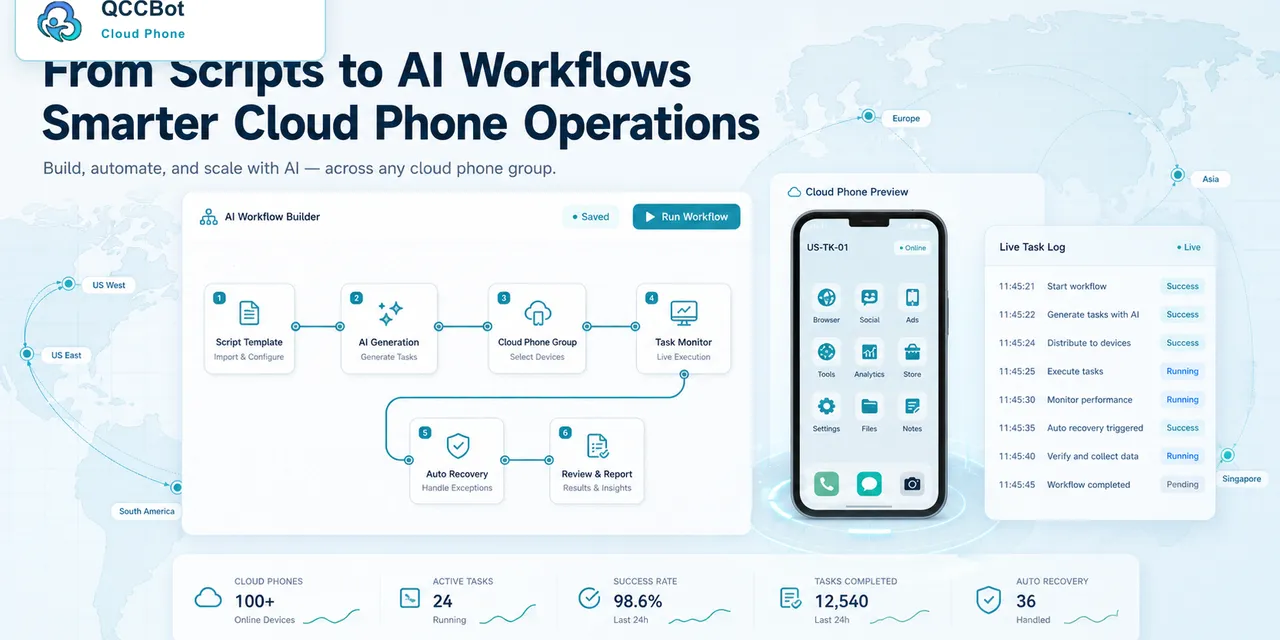
QCCBot combines cloud phone device groups, AutoJS scripts, task logs, and AI exception handling. This gives teams better visibility into what their mobile workflows are doing.
The goal is not just automation. The goal is readable automation.
If your team needs clearer task status across many cloud phones, QCCBot can help make mobile automation more observable and easier to manage.
A simple observability scorecard
If you want to improve cloud phone observability, score each workflow from 0 to 2 on these questions.
Task clarity:
- 0: nobody can explain the task clearly;
- 1: the task is understood by one person;
- 2: the task has a short written description.
Status visibility:
- 0: people open phones manually to check;
- 1: the dashboard shows success or failure;
- 2: the dashboard shows step and failure reason.
Exception handling:
- 0: all failures are manual;
- 1: some failures are retried;
- 2: failures are grouped into categories with review rules.
Logs:
- 0: no useful logs;
- 1: technical logs exist;
- 2: operators can understand what happened.
This scorecard is simple, but it shows where the workflow is weak.
What to improve first
Start with failure reasons. They usually create the biggest improvement.
If the team can see that most failures are login issues, it can add a login pre-check. If most failures are popups, it can design popup handling. If most failures are unknown screens, the workflow needs better pause-and-review behavior.
Observability is not just reporting. It guides the next improvement.
How to make reports useful for managers
Managers usually do not need every line of a script log. They need a summary that explains whether the mobile workflow is healthy.
A practical weekly report can include:
- total tasks started;
- completion rate;
- top three failure categories;
- number of tasks recovered automatically;
- number of tasks sent to human review;
- accounts or device groups with repeated issues;
- scripts that need maintenance.
This turns cloud phone automation into something the team can manage like an operating system, not just a collection of scripts.
The operator view and the manager view are different
Operators need detail. They need to know which device stopped, what screen appeared, and what action should happen next.
Managers need patterns. They need to know whether the team is saving time, whether failures are decreasing, and whether one platform or account group is causing most of the work.
Good observability supports both views. Without that split, dashboards become either too technical for managers or too shallow for operators.