Android emulators are useful for development and quick testing. Cloud phones are better when the team needs to operate repeated app workflows across many accounts, projects, or device groups.
The difference is not only technical. It is about how the work is managed.
Quick comparison
| Need | Emulator | Cloud phone |
|---|---|---|
| Local development testing | Strong | Sometimes useful |
| Repeated app operations | Limited | Strong |
| Team access | Harder to share | Easier to manage |
| Device grouping | Manual | Built for groups |
| Task logs | Usually separate | Built into workflow |
| Batch automation | Possible but messy | Designed for it |
When an emulator is enough
Use an emulator when the task is small and local:
- testing a developer build;
- checking one app screen;
- reproducing a bug;
- building an early script prototype;
- running a short manual experiment.
Emulators are flexible, but they are not always built for operational scale.
When cloud phones fit better
Use cloud phones when the job becomes repeated and shared:
- many accounts need the same check;
- a team needs to see task status;
- scripts need to run on device groups;
- failures need logs and categories;
- operators need access without managing local machines;
- AI recovery needs to happen inside a controlled workflow.
Cloud phones make the Android environment part of the operating system, not just a testing tool.
A realistic example
A QA teammate uses an emulator to test one upload flow. That is fine.
But an operations team needs to confirm 60 accounts are ready before a campaign. That requires grouping, scheduling, logs, retries, failure classification, and human review boundaries. A local emulator setup quickly becomes difficult to coordinate.
The hidden cost of local setups
Local emulator workflows often depend on one person’s machine. If that person is offline, the team waits. If a script path changes, someone has to fix it. If results are recorded manually, the team loses traceability.
Cloud phones reduce this dependency by moving device operation into a shared environment.
Where AI changes the equation
AI makes cloud phones more practical because it can help create and debug AutoJS scripts. It can also inspect failures and attempt safe recovery when enabled.
That matters most when workflows are repeated often. AI is less valuable when a task is a one-time manual check.
Where QCCBot fits
QCCBot is designed for the operational side of Android automation: cloud phone groups, script execution, AI script generation, task logs, and exception handling.
If your team has outgrown local emulator checks, QCCBot’s official website shows how cloud phones can support repeated Android app workflows in a shared operating console.
FAQ
Are cloud phones always better than emulators?
No. Emulators are great for development. Cloud phones are better when the work becomes repeated, shared, and operational.
Can a team use both?
Yes. Many teams prototype on an emulator and run the stable workflow on cloud phones.
What is the biggest signal to move to cloud phones?
When the team spends more time managing devices, results, and failures than doing the actual task.
The difference in one sentence
An emulator is mainly a local testing environment. A cloud phone is a shared operating environment for repeated Android app work. Both can run Android, but they solve different organizational problems.
That distinction matters for buyers comparing options. If the goal is to test a feature during development, an emulator may be enough. If the goal is to run repeated account, app, QA, or operational workflows across a team, the shared cloud phone layer becomes more important.
Where teams often make the wrong comparison
Teams sometimes compare emulator performance with cloud phone performance and stop there. That misses the bigger question: who needs access, how results are tracked, how failures are reviewed, and whether the workflow can run again tomorrow without rebuilding the setup.
Cloud phones become valuable when the answer involves shared responsibility:
- several people need access to the same Android work context;
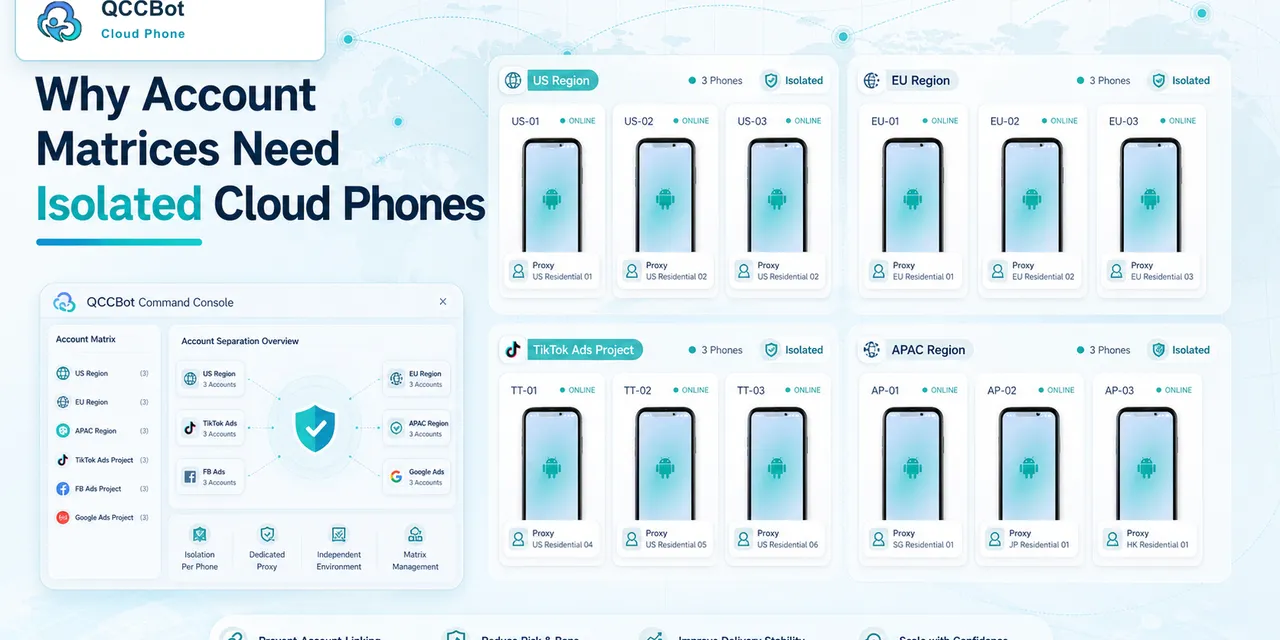
- devices need to be grouped by account, project, or region;
- scripts need logs and repeatable execution;
- exceptions need to be routed to the right person;
- the workflow should survive beyond one local machine.
This is why QCCBot is positioned around operations, not only testing.