Browser agents are useful for web tasks. Cloud phones are useful for mobile app tasks. The difference sounds simple, but many teams only discover it after a workflow reaches a mobile app login, upload screen, permission prompt, or app-only feature.
If the work happens inside a real Android app, a cloud phone is usually the more practical operating layer.
Quick comparison
| Question | Browser agent | Cloud phone automation |
|---|---|---|
| Works inside websites | Yes | Sometimes |
| Works inside Android apps | Usually no | Yes |
| Handles app permissions | No | Yes |
| Handles app-only UI | No | Yes |
| Uses device state | Limited | Yes |
| Good for repeated mobile workflows | Limited | Strong |
Why browser agents hit a wall
A browser agent can click links, read web pages, fill forms, and move through dashboards. That is powerful for SaaS tools and web research.
But many mobile workflows do not live in the browser. They live in apps where the important state is inside Android:
- app login status;
- permissions and popups;
- upload queues;
- app notifications;
- cached app data;
- device identity and app session;
- region-specific app behavior.
When a browser agent reaches that boundary, it may know what should happen next, but it cannot operate the app itself.
Why cloud phones solve a different problem
Cloud phone automation gives the team a real Android environment in the cloud. The workflow can open apps, tap UI elements, check screens, handle permissions, and run AutoJS-style scripts.
This is useful when the task is not “read a web page” but “make sure this mobile app workflow finished correctly.”
A real scenario
A cross-border operations team wants to check daily account readiness across several app accounts.
The web dashboard may show some account data, but the final status depends on what happens inside the app:
- Is the app still logged in?
- Did the upload finish?
- Did a verification prompt appear?
- Is there an update popup?
- Did the task stop halfway?
A browser agent can help with surrounding web work. A cloud phone is needed for the Android app layer.
How AI changes the cloud phone workflow
The old version of cloud phone automation depended heavily on manual script writing. A person needed to create scripts, test them, and fix them when the app changed.
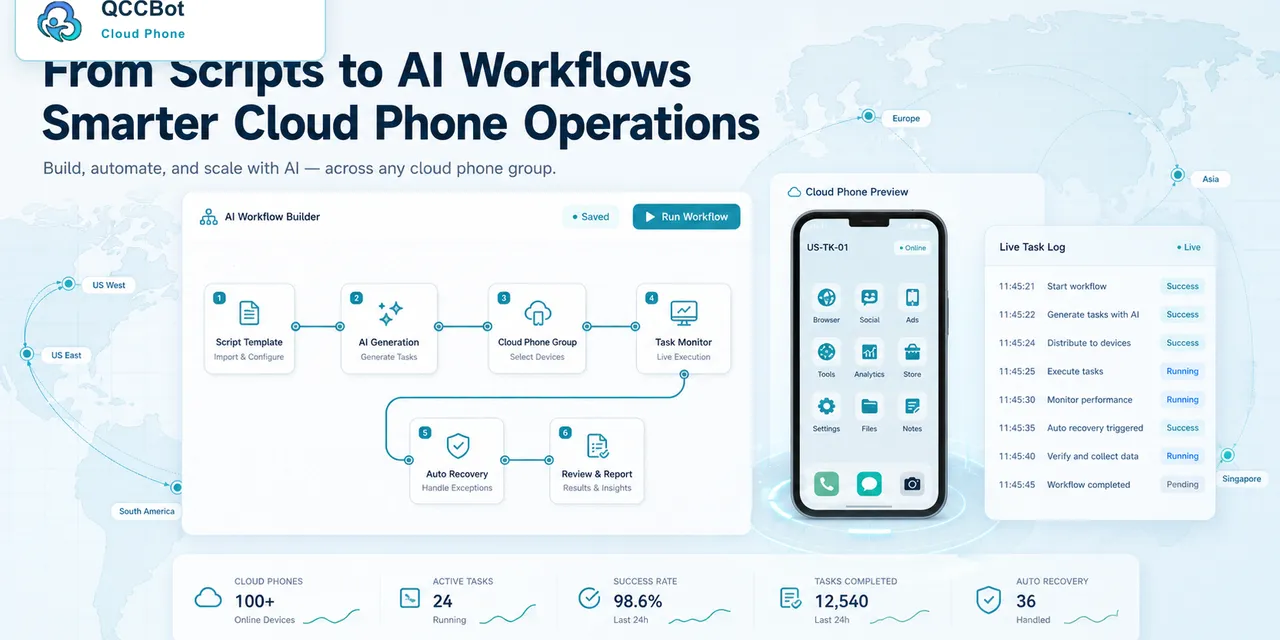
QCCBot adds AI to the workflow:
- xeasy code AI can generate AutoJS scripts from plain-language tasks;
- AI debugging can locate script problems faster;
- AI exception takeover can recover selected failures when enabled;
- task logs help operators review what happened across many devices.
The result is not “browser agent versus cloud phone.” The better question is: which layer owns which part of the job?
Where QCCBot fits
Use browser agents for web-heavy work. Use QCCBot when the job crosses into repeated Android app operation, app-state checking, cloud phone groups, and script-based mobile workflows.
If your workflow keeps stopping at the mobile app layer, QCCBot’s official site shows how AI cloud phones help teams operate real Android apps instead of only browser pages.
FAQ
Can a browser agent replace a cloud phone?
Only for web tasks. If the task requires a real Android app, permissions, app sessions, or device-level behavior, a cloud phone is usually required.
Can cloud phones replace browser agents?
Not always. Many teams use both: browser tools for web research and dashboards, cloud phones for mobile app execution.
What is the safest first workflow?
Start with read-only checks: login state, upload status, notification cleanup, account readiness, or simple app health checks.
The simple rule: follow the surface where the work happens
If the work happens in a web dashboard, a browser agent may be enough. If the work happens inside an Android app, with app sessions, permissions, push notifications, media upload screens, and mobile-only UI, a cloud phone is the more realistic operating surface.
This rule is more useful than asking which tool is “smarter.” A smart browser agent still cannot complete work that only exists inside a mobile app. A cloud phone gives the automation system a place where Android work can actually run.
A practical decision table
| Workflow | Better starting point | Why |
|---|---|---|
| Collect information from a website | Browser agent | The UI and data live in the browser |
| Update a mobile app profile | Cloud phone | The target screen is inside the app |
| Check whether a TikTok or Telegram account is logged in | Cloud phone | Login state is device/app specific |
| Compare campaign data in a web dashboard | Browser agent | The browser is the main workspace |
| Run the same app check across many Android accounts | Cloud phone | Device grouping, app state, and logs matter |
For many real teams, the answer is not either-or. The browser agent handles web research and dashboards. The cloud phone handles mobile execution.