Region mismatch is one of those problems that looks small until it blocks the whole workflow.
The team expects a US page, but the app shows another market. The language is wrong. A product entry is missing. A campaign page behaves differently. The script fails because the mobile app does not show the expected screen.
This can happen in cross-border ecommerce, social commerce, app testing, and mobile operations.
What people search for
Typical searches include:
- cloud phone wrong region
- app shows wrong country on cloud phone
- proxy region mismatch mobile app
- TikTok Shop wrong market cloud phone
- Android app region testing cloud phone
The user is trying to understand why the app environment does not match the intended market.
What can affect app region
Region behavior may depend on:
- proxy or network route;
- account registration region;
- SIM or device profile signals;
- app language setting;
- app cache;
- platform risk systems;
- GPS or location permission;
- previous account activity;
- app version.
This means changing only one setting may not fix the issue.
Start by documenting the environment
Before debugging, record:
- cloud phone group;
- proxy region;
- account region;
- app version;
- app language;
- login state;
- cache state;
- target workflow;
- screenshot of the unexpected screen.
Without this, the team may keep changing settings without knowing what changed the result.
A practical testing workflow
Test one variable at a time:
- Confirm the proxy or network route.
- Confirm the account and app state.
- Open the app and capture the screen.
- Clear cache only if your process allows it.
- Compare the same workflow across region groups.
- Record differences.
This helps separate device setup issues from account or platform behavior.
Where AI helps
AI can help summarize repeated region differences.
It can identify:
- different language;
- missing entry point;
- unexpected warning;
- loading issue;
- page mismatch;
- repeated failure in one region group.
This helps non-technical teams understand what changed without reading every log.
How QCCBot fits
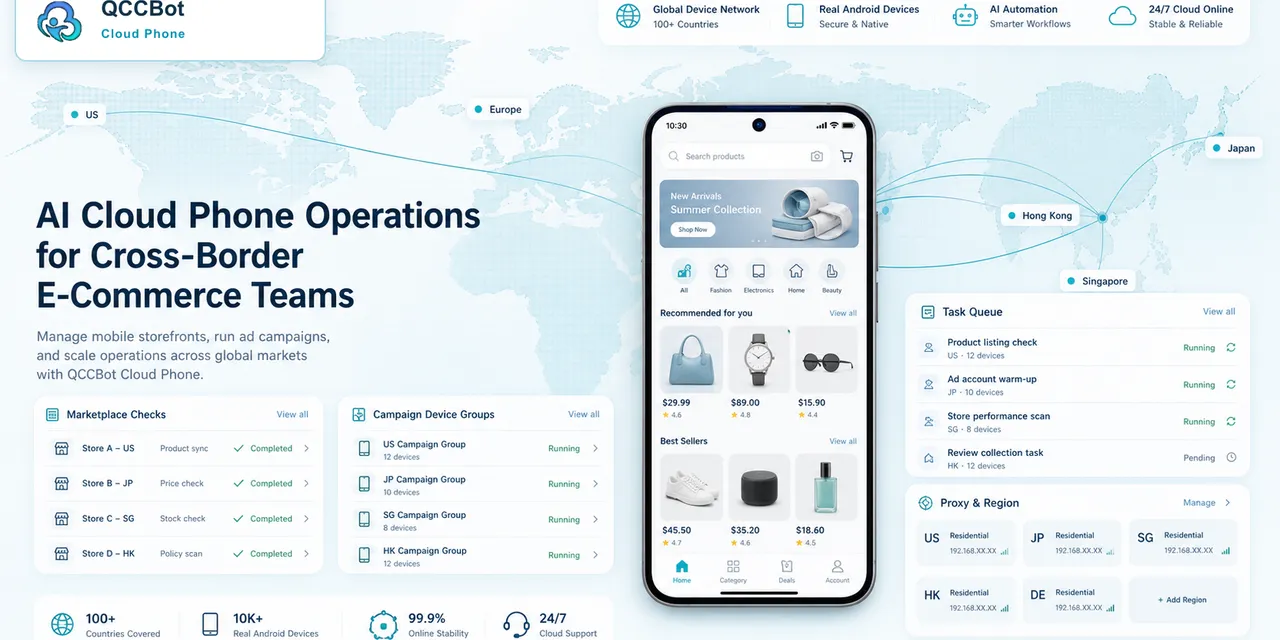
QCCBot supports cloud phone groups, proxy configuration, task execution, logs, and AI exception handling. That makes it useful for testing mobile workflows across markets.
If your app workflow behaves differently by region, QCCBot can help organize cloud phone groups and compare mobile app states across markets.
What not to assume
Do not assume region mismatch is only a proxy issue.
It may be account history, app cache, app language, platform rules, or a combination. The safest approach is to document the state and compare results across controlled cloud phone groups.
What a region comparison report should include
A useful report should not only say “wrong region.”
It should include:
- expected market;
- actual market shown;
- cloud phone group;
- network route;
- account type;
- app version;
- page where mismatch appeared;
- screenshot;
- whether the mismatch repeated.
This turns a vague complaint into a testable issue.
Why teams should test before campaigns
Region mismatch becomes expensive when it is discovered late. If a campaign page, product entry, or upload flow is different in one market, the team needs time to adjust.
Running region checks before launch gives the team time to separate setup problems from platform behavior. It also creates a baseline so future changes are easier to spot.
A simple region test workflow
Before running a campaign or account workflow, test the region in a small batch:
- Start the cloud phone.
- Confirm proxy or network assignment.
- Open the target app.
- Capture the home page or market entry page.
- Record the visible region signals.
- Compare results across the group.
- Stop accounts that show the wrong market.
This is not complicated, but it saves time. A workflow that starts in the wrong market can waste content work, create account review issues, or produce misleading QA results.
What counts as a region signal
Useful region signals include:
- language shown by the app;
- currency;
- shipping options;
- available features;
- store or marketplace region;
- content recommendations;
- phone number or verification format;
- warning messages.
No single signal is perfect. The best approach is to collect enough evidence to decide whether the environment matches the task.
How teams should handle mismatches
When a mismatch appears, do not simply rerun the same script. First decide whether the problem is:
- proxy configuration;
- account region;
- app cache;
- device language;
- app version;
- platform risk state;
- test data.
QCCBot helps because the team can group phones, record screenshots, and compare results. That turns a vague complaint like “the market looks wrong” into a specific environment report.