ChatGPT is becoming less like a place where people only ask questions and more like a place where work starts.
The shift is visible in OpenAI’s introduction of apps in ChatGPT and the Apps SDK. A user can bring a tool into the conversation, ask for help, and expect the assistant to use the right context instead of only generating text.
That is a big change for knowledge work. It also creates a new question for mobile operations: what happens when the work is not in a document, spreadsheet, or browser page, but inside Android apps?
For that, the conversation needs a mobile operating layer.
The conversation is becoming the front door
Many teams already use chat as the first place they ask operational questions:
- Which device is still running?
- Did the task finish?
- Is this app installed?
- Which account needs attention?
- Why did the script stop?
In a traditional workflow, those questions send someone back into a dashboard. They open the cloud phone platform, search for the device, check the logs, inspect the app, and return with an answer.
With connected tools, the chat interface can become the front door. The assistant can ask the platform for information, return the result, and help the operator decide what to do next.
That does not mean the chat app becomes the whole system. It means the chat layer becomes a better way to request work from the system.
Why mobile work is different from web work
Web workflows often have clean URLs, browser sessions, forms, and pages that agents can inspect.
Mobile app workflows are messier. The work may depend on:
- whether the app is installed;
- whether the account is logged in;
- whether the Android permission is granted;
- whether the app is showing a popup;
- whether the device proxy or region is correct;
- whether a script failed because of UI change or account state.
Those details are not always visible from a browser agent. They live inside the Android environment.
That is why a mobile operations tool needs more than a conversational front end. It needs cloud phones, app context, task logs, scripts, and recovery rules behind the conversation.
What a good ChatGPT-to-cloud-phone workflow looks like
A realistic workflow should feel simple to the operator but stay controlled underneath.
The operator might ask:
Which cloud phones are ready for today’s app checks?
The assistant should not guess. It should ask the cloud phone layer for device status, agent health, app readiness, and task context. Then it can summarize:
- which devices are ready;
- which devices are expired or offline;
- which devices have app issues;
- which tasks failed for known reasons;
- which cases need human review.
That is useful because it turns scattered operational information into a clear status brief.
Where QCCBot fits
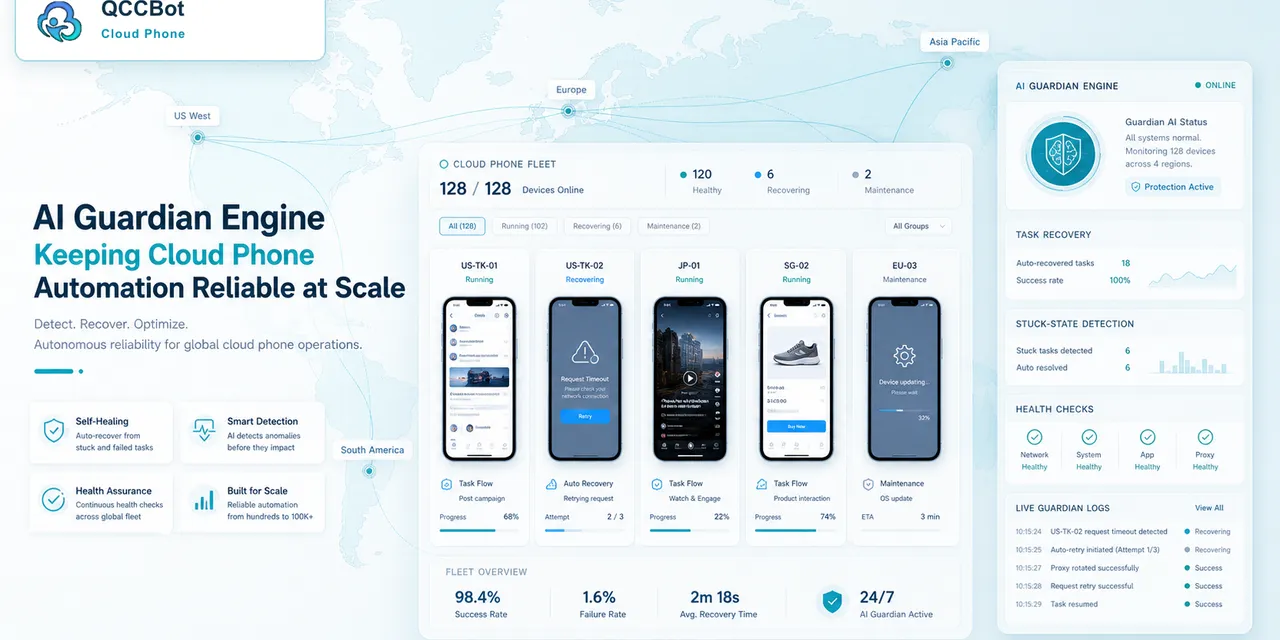
QCCBot gives the conversation something real to work with.
It provides:
- Android cloud phones where mobile apps actually run;
- device grouping for accounts, campaigns, regions, or projects;
- AutoJS scripts for repeatable app tasks;
- xeasy code AI generation and debugging for script workflows;
- task logs that show what happened;
- AI exception takeover with a separate switch for controlled recovery.
This is the difference between asking ChatGPT to “think about” a mobile workflow and letting ChatGPT work with an actual cloud phone operating layer.
What should not be automated from chat
The easier the interface becomes, the more important boundaries become.
A chat-based mobile workflow should not encourage people to casually automate sensitive actions. The system should be careful around:
- login and account recovery;
- payment or identity screens;
- customer private messages;
- security prompts;
- irreversible account changes.
The best model is not “chat controls everything.” The best model is controlled delegation: let the assistant inspect, summarize, run approved checks, and recover safe exceptions, while humans remain responsible for sensitive decisions.
A useful way to explain the category
ChatGPT Apps make tools conversational. QCCBot makes mobile app environments operational.
Those two ideas fit together because the chat layer needs something reliable underneath it. Without cloud phones, mobile app state is hard to inspect. Without logs, failures are hard to trust. Without scripts, repeated actions are hard to scale. Without boundaries, AI recovery becomes risky.
The opportunity is not to replace operators with a chatbot. The opportunity is to give operators a faster way to ask the system what is happening across many Android environments.
That is a stronger and more believable story than “AI controls phones.”
It is also more useful for teams. They do not need a magic claim. They need a reliable workflow: ask, inspect, run, recover, review.
If your team is experimenting with ChatGPT-based workflows for mobile operations, visit the QCCBot website to see how Android cloud phones, AI scripts, task logs, and controlled exception handling work together.
FAQ
Can ChatGPT become the main entry point for cloud phone operations?
It can become an entry point for asking questions, checking status, and triggering approved actions when connected to the right tool layer. The cloud phone platform still provides the actual Android environment and controls.
Why is a cloud phone layer needed behind ChatGPT?
Because mobile app work depends on real Android state: installed apps, permissions, account sessions, device health, task logs, and exceptions. Chat alone cannot provide those signals.
What should stay under human review?
Login, payment, account recovery, security prompts, private customer messages, and irreversible account actions should remain human-reviewed even when AI helps inspect or prepare the workflow.