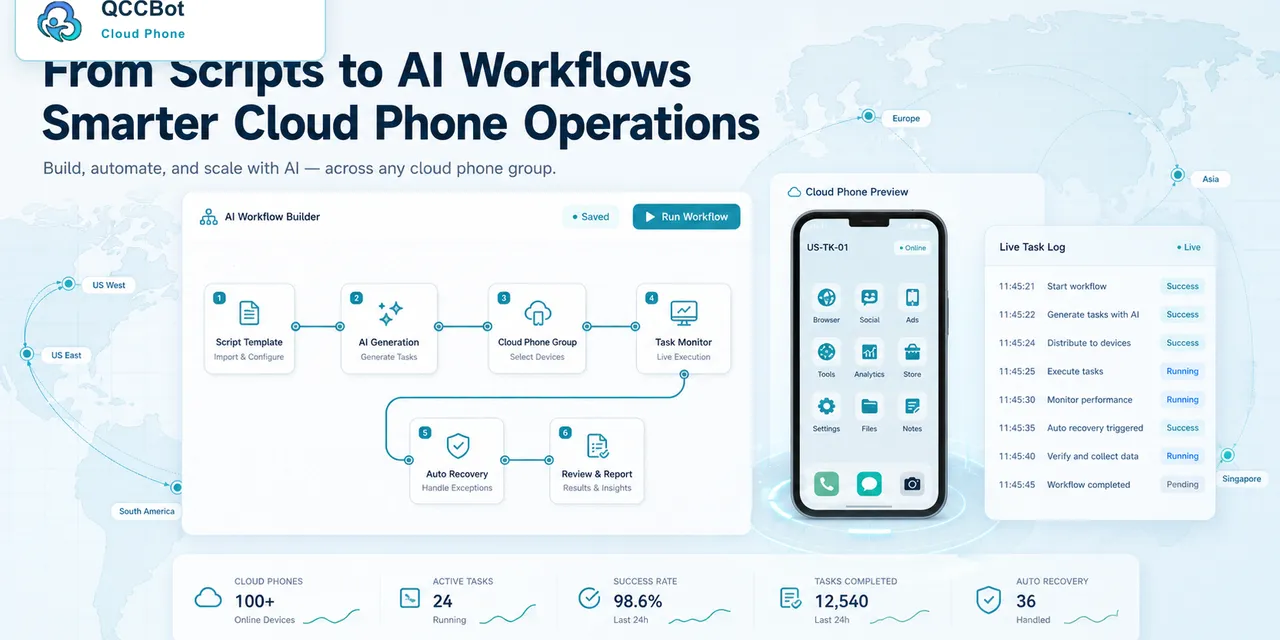
AI agents are starting to move closer to mobile apps.
That is the important signal behind Android AppFunctions. Google describes AppFunctions as an Android platform API that lets apps contribute functions as tools for agents and assistants. The exact developer model will keep evolving, but the direction is clear: AI is not only going to read screens and answer questions. It is going to ask apps to do things.
For teams that run mobile operations, this is a meaningful shift. The question is no longer only “Can AI understand my task?” The harder question is: where will that task actually run?
If the work lives inside Android apps, the answer cannot be only a browser tab. It needs a real mobile environment: app sessions, permissions, device state, login state, media storage, notifications, and logs. That is where cloud phones become part of the AI agent conversation.
Why AppFunctions matters
Android AppFunctions is interesting because it treats app capability as something AI systems may eventually request directly. Instead of relying only on visual clicking, an app can expose a safer, more structured action surface.
That is a better model for many tasks. A structured action is easier to understand, easier to authorize, and easier to log than a blind sequence of taps.
But there is a practical limit. AppFunctions can help when an app supports the right capability. Many real workflows still involve mixed conditions:
- the app may not expose every action;
- the account may be logged out;
- a permission prompt may appear;
- an app update may change the flow;
- the team may need to inspect the actual screen;
- a human may need to approve sensitive steps.
In other words, structured app actions are useful, but they do not remove the need for an operating environment.
The mobile agent stack needs more than the model
When people talk about AI agents, they often focus on the model. That makes sense, but the model is only one layer.
For mobile app work, a useful AI agent stack needs:
| Layer | What it does |
|---|---|
| AI model | Understands the request and plans the task |
| App capability layer | Provides safe app-level actions when available |
| Cloud phone environment | Runs the real Android app session |
| Script layer | Repeats actions across devices and accounts |
| Logs and monitoring | Shows what happened and where work failed |
| Human review boundary | Stops AI at sensitive or unknown states |
Without the cloud phone environment, the agent may understand the task but still have nowhere realistic to execute it.
A real example: app readiness before a campaign
Imagine a team preparing a short-video or social commerce campaign. Before content goes live, they need to confirm that many Android app accounts are ready.
The work may include checking whether the app opens correctly, whether the account is logged in, whether upload permissions are granted, whether the expected app version is installed, and whether any warning screen appears.
Some of that work may eventually become available through app functions. Some of it will still require a live Android environment.
This is exactly where cloud phones help. Each account can live in an isolated Android environment. The team can run checks on a small group, review logs, classify failures, and decide which cases are safe for AI-assisted recovery.
Where QCCBot fits naturally
QCCBot is not trying to replace Android app capabilities. It provides the operating layer around mobile work.
That means QCCBot can help with the parts that app functions alone do not solve:
- holding real Android app sessions in cloud phones;
- grouping devices by account, campaign, region, or workflow;
- generating AutoJS scripts from plain-language requirements;
- debugging script failures when app screens change;
- monitoring task logs across many devices;
- allowing AI takeover only for selected exception types.
This matters because many teams do not need a one-off demo of AI tapping a phone. They need a repeatable way to run mobile workflows tomorrow, next week, and after the app UI changes.
The wrong way to read the trend
The wrong conclusion is: “AI agents will make mobile operations fully automatic.”
The better conclusion is: “AI agents will need better mobile operating layers.”
Android AppFunctions can make app actions more structured. Cloud phones can provide real execution environments. Scripts can make repeated tasks manageable. Logs can make outcomes reviewable. Human boundaries can keep sensitive steps under control.
Those pieces belong together.
What teams should watch next
Teams that depend on mobile app work should watch three things:
- Which apps expose structured actions for AI agents.
- Which tasks still require a live Android session.
- How teams define safe AI recovery versus human review.
The teams that prepare for this early will not simply ask “Which AI model is best?” They will ask, “What operating layer lets AI work safely with our mobile apps?”
That is the practical direction QCCBot is built for: AI-assisted mobile workflows that run inside real Android cloud phones, with scripts, logs, device context, and controlled recovery.
For teams exploring this next stage of mobile automation, the QCCBot website shows how cloud phones, AI scripts, task logs, and exception handling fit into one Android workflow layer.
FAQ
Does Android AppFunctions replace cloud phones?
No. AppFunctions can expose structured app capabilities, but teams still need a runtime environment for real app sessions, permissions, account state, logs, and cases that require visual or operational review.
Why does an AI agent need a cloud phone?
An AI agent needs a cloud phone when the task depends on Android app state, logged-in accounts, mobile permissions, device context, or repeated workflows across many accounts.
How is QCCBot different from a browser agent?
Browser agents work mainly inside web pages. QCCBot provides Android cloud phones, AutoJS scripts, AI debugging, task logs, and controlled AI exception handling for workflows that happen inside mobile apps.