AI agents are becoming comfortable with websites. They can open a browser, read pages, click buttons, summarize information, and sometimes complete simple workflows. For teams watching this trend, it is tempting to assume that the next step is obvious: let the agent do all digital work.
Then the work moves into a mobile app.
The difference appears quickly. A web page has URLs, HTML, predictable selectors, and browser automation tools. A mobile app has native screens, permission prompts, keyboard behavior, login sessions, push notifications, app updates, and account states that may not exist in the browser version at all.
That is why one of the most useful questions for operations teams is not “Can AI agents work?” It is “Where does the work actually happen?”
If the important work happens inside Android apps, the team needs more than a browser agent. It needs a mobile execution layer.
The browser is only one surface of the job
Many operational workflows look simple when described from a distance:
- check whether an account is logged in;
- upload a piece of content;
- confirm whether a message appeared;
- capture a screenshot for review;
- open a mobile-only setting;
- repeat the same check across many accounts.
The difficulty is not always the logic. The difficulty is the environment.
If the same task can be completed on a website, a browser agent may be enough. But many platforms put key workflows, notifications, account states, and publishing surfaces inside the mobile app. Some app screens do not map cleanly to web pages. Some flows depend on Android permissions, in-app dialogs, or device-level context.
This is where teams hit a gap. The AI can reason about the goal, but the execution surface is a phone.
Android is becoming more agent-aware
The direction of the market is clear. Google describes Android AppFunctions as a way for Android apps to expose app capabilities so agents and assistants can interact with them more directly.
That is a strong signal: AI will not stay inside browsers forever. Agents are moving closer to mobile app actions.
But this also makes the operating layer more important, not less important. Even when apps expose more structured functions, teams still need to answer practical questions:
- Which account should the agent act on?
- Which device state is safe?
- What happened before the action?
- What should be logged?
- What should stop for human review?
- How do we test the workflow before running it across many devices?
An API or app function can help an assistant understand what is possible. It does not replace the need for controlled Android environments, task history, screenshots, script execution, and reviewable logs.
The real pain: mobile work is stateful
Web automation often begins from a clean URL. Mobile app automation rarely does.
A cloud phone may already be logged into an account. The app may be on a message screen, a profile page, a permission prompt, or a half-finished upload. Another teammate may have used the same app yesterday. A script may have stopped halfway through a task.
That state matters.
If an AI agent treats every device as a blank starting point, it will make bad assumptions. If the system records where a task started, what screen appeared, what action was taken, and why a workflow stopped, the team can trust automation more easily.
For mobile app work, reliability comes from context.
Why cloud phones fit the missing layer
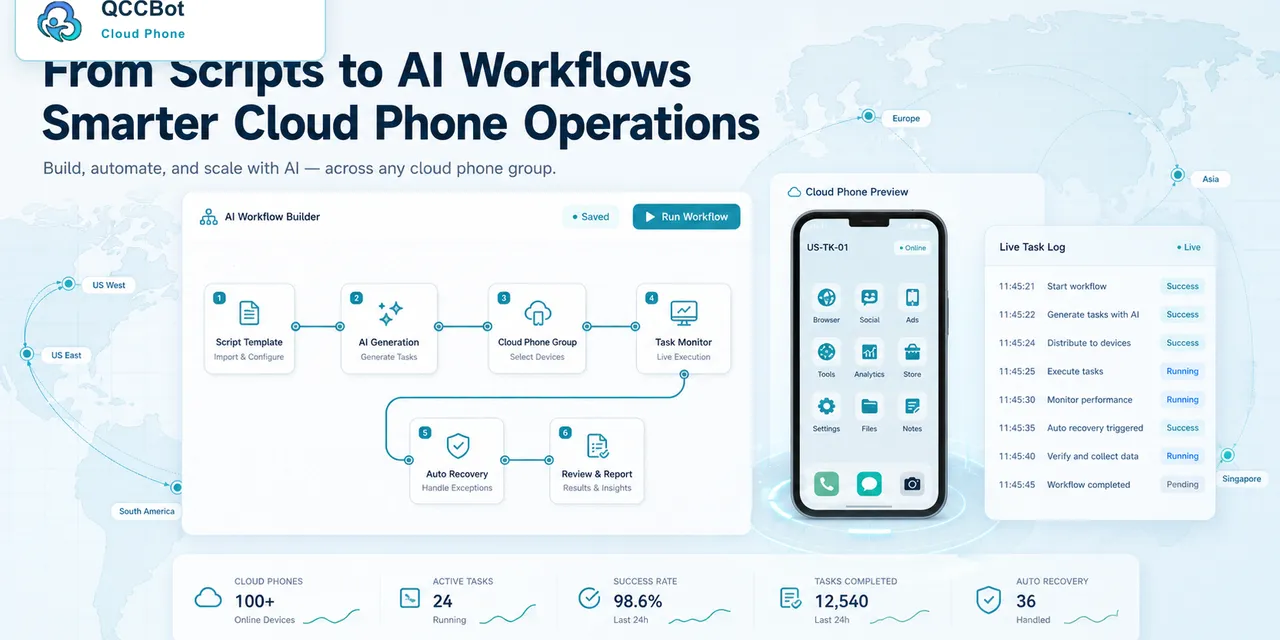
A cloud phone gives the team a persistent Android environment that can be opened, assigned, grouped, scripted, observed, and reviewed. It is not just a remote screen. It is a workspace for mobile app operations.
QCCBot is useful in this layer because it combines several pieces that usually live separately:
- cloud Android devices for real app execution;
- AutoJS scripts for repeatable mobile tasks;
- xeasy code AI for generating and debugging scripts;
- AI Guardian-style monitoring for stuck or abnormal tasks;
- logs and screenshots for review;
- a controlled AI takeover option for selected exceptions.
The value is not that AI magically understands every app. The value is that AI, scripts, and cloud phones operate inside a structured environment instead of a loose collection of devices and screenshots.
A good mental model
Think of the workflow in three layers.
| Layer | What it does | Common failure |
|---|---|---|
| AI reasoning | Understands the goal and suggests the next action | It assumes the app state is clean |
| Script execution | Turns repeated actions into steps | It breaks when UI changes |
| Cloud phone environment | Holds the real Android app session | It needs monitoring and logs |
Teams need all three layers when the work is inside mobile apps.
If one layer is missing, the system becomes fragile. Reasoning without execution becomes advice. Scripts without monitoring become brittle. Cloud phones without automation become manual labor at a distance.
What to write into your automation plan
Before bringing AI agents into mobile work, teams should define:
- which app workflows are safe to automate;
- which screens require human review;
- how device groups map to projects or accounts;
- where logs and screenshots are stored;
- whether AI recovery is allowed for this workflow;
- how a script is tested before batch execution.
This is not bureaucracy. It is what separates a useful mobile AI workflow from a demo that only works once.
If your team is trying to bring AI into Android app operations, visit the QCCBot website to see how cloud phones, AutoJS scripts, and controlled AI assistance can work together.
FAQ
Can browser AI agents operate Android apps directly?
Not reliably by themselves. Browser agents are designed around web pages. Android app workflows usually need a real or cloud Android environment, app state, permissions, and mobile-specific automation.
Why not use only an API?
APIs are useful when the platform exposes the exact action you need. Many operational tasks still happen in app-only screens, login states, messages, notifications, and QA checks that need a visible Android environment.
Where does QCCBot fit?
QCCBot provides the cloud phone environment, AutoJS automation layer, AI script support, task monitoring, and controlled recovery features needed for mobile app workflows.