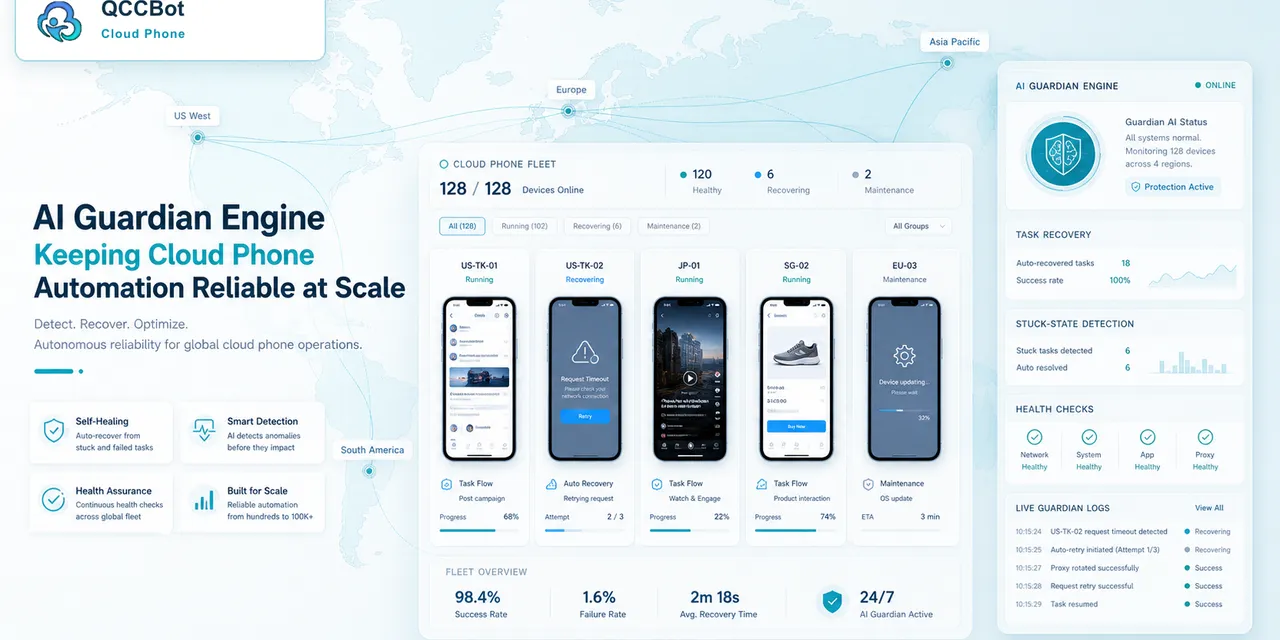
AI agents are becoming a serious topic for operations teams, not just developers.
The language around agents has changed. People are no longer only asking, “Can an AI click around a website?” They are asking whether AI can help coordinate real work: checking accounts, collecting task status, moving failed items into review, and keeping humans in control.
For teams that manage mobile app workflows, this creates a very practical question:
If AI agents are becoming the new operating layer, what does that mean for Android apps, cloud phones, and mobile account work?
The search problem behind this topic
People may search for:
- “AI agent control tower”
- “AI agent workflow monitoring”
- “how to monitor AI automation tasks”
- “AI agent for mobile app workflow”
- “cloud phone task dashboard”
These are not abstract searches. They come from teams that have already tried scripts or AI tools and realized the hard part is not starting tasks. The hard part is seeing what every task is doing.
Why browser agents are not enough
Browser agents are useful for web-based work. They can open pages, fill forms, collect data, and move between tabs.
But many business workflows still happen inside mobile apps:
- TikTok, YouTube Shorts, Xiaohongshu, and Weibo account checks;
- seller apps and store management apps;
- mobile-only permission prompts;
- app login states;
- device-level network or proxy settings;
- region-specific app behavior;
- Android permission and gallery flows.
A browser agent cannot see a phone app screen unless the workflow has a real Android environment. That is where cloud phones become relevant.
What a mobile workflow control tower should show
A useful control tower is not just a list of devices.
It should answer:
- Which cloud phones are running?
- Which account group is assigned to each task?
- Which script is running?
- Which step did each device reach?
- Which tasks succeeded?
- Which tasks failed because of a popup, network issue, login state, or script error?
- Which failures are safe to retry?
- Which failures need human review?
Without these answers, AI automation becomes a black box.
A real operating scenario
Imagine a social commerce team running daily checks across 80 mobile accounts.
The team wants to know:
- whether the accounts are still logged in;
- whether the app home page loads;
- whether content upload is available;
- whether recent posts show normally;
- whether messages or notifications need attention.
If every task returns only success or failed, the team still has to open many devices manually. A control tower should turn those results into categories:
- 68 accounts normal;
- 5 accounts logged out;
- 3 devices blocked by permission popups;
- 2 devices slow because of network loading;
- 2 devices need manual review.
That is an operations result, not just a technical log.
Where AI should help
AI should help with the messy layer between script execution and human review.
Useful roles include:
- reading task context and explaining why a run stopped;
- grouping similar failures;
- suggesting script fixes when a UI selector changes;
- retrying safe cases when the team allows it;
- marking sensitive issues for manual review;
- helping non-technical operators understand task logs.
The best AI agent workflow is not fully blind autonomy. It is controlled delegation.
What should stay under human control
Some mobile app issues should not be handled automatically.
Examples:
- account verification codes;
- security warnings;
- payment screens;
- identity updates;
- app policy notices;
- unknown pages with unclear meaning.
If an AI agent cannot explain the state clearly, the workflow should pause and ask a human. This protects the team from automation that is too aggressive.
How QCCBot fits
QCCBot is built around this kind of AI-assisted cloud phone workflow.
Cloud phones provide the Android environments. AutoJS scripts run repeated mobile steps. xeasy code AI helps generate and debug scripts. AI Guardian and exception takeover help identify stuck tasks and handle suitable failures when enabled.
That makes QCCBot less like a simple remote phone list and more like an operations layer for repeated mobile app work.
If your team is thinking about AI agents but your daily work still happens inside phone apps, QCCBot can help you build a mobile workflow control tower with cloud phones, scripts, logs, and AI exception handling.
A practical rollout plan
Do not build the control tower as a giant project on day one. Start with one mobile workflow that already wastes time every week.
For example, choose daily account checks, content upload readiness, or app launch verification. Then define the workflow in plain language:
- which cloud phone group runs the task;
- which app should open;
- what normal means;
- what failure states are expected;
- what AI may recover;
- what must stop for human review.
After that, run the workflow on a small group of devices. The first goal is not speed. The first goal is clarity. If the dashboard can tell the team which phones completed, which stopped, and why they stopped, the control tower is already useful.
Once the categories are clear, the team can add automation step by step. Safe popups can be recovered. Slow pages can be retried. Unknown screens can be paused. Login and security issues can go to a human queue.
This is how a mobile AI workflow becomes trustworthy. The team sees the state of the work instead of hoping the automation is doing the right thing in the background.
What to measure after the first week
After one week, measure operational results:
- How many devices finished without manual inspection?
- What were the top three failure categories?
- Which failures were safe to recover?
- How many tasks required human review?
- Did operators spend less time opening normal devices?
These answers matter more than a polished demo. A control tower is valuable when it reduces confusion and gives the team better next steps.