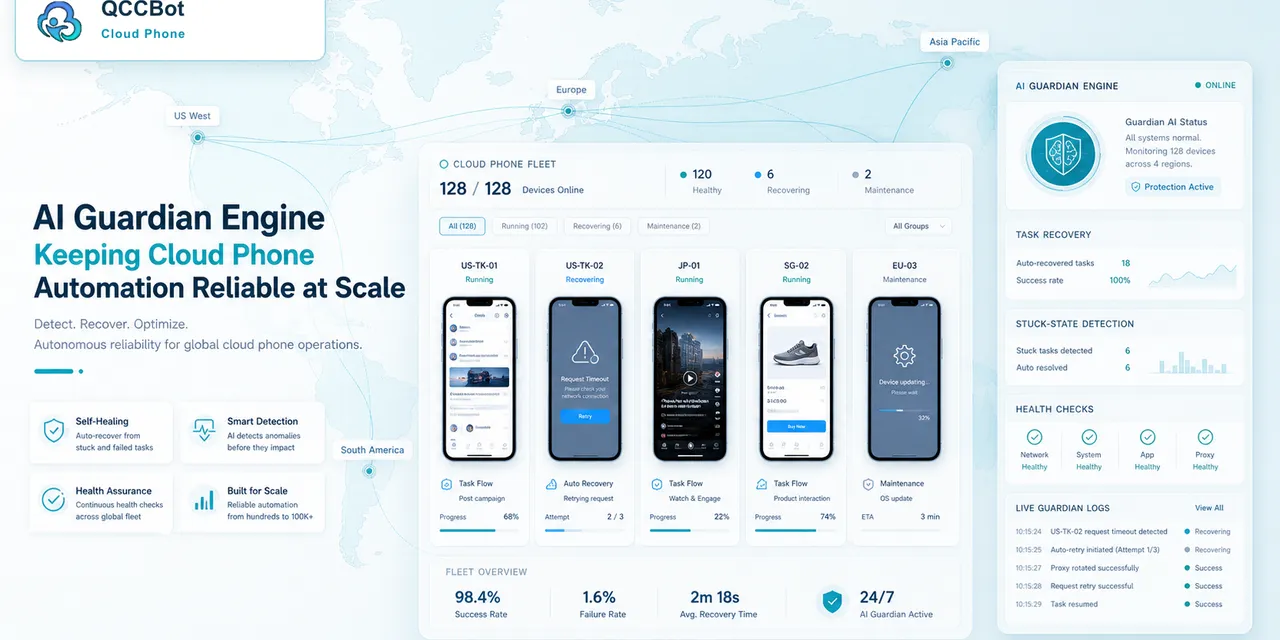
Agentic automation is powerful because it can act.
That is also why teams need controls.
When automation touches accounts, mobile apps, messages, uploads, or store operations, the team must know what the system is allowed to do and what must stay human-reviewed.
The security question teams ask
People may search:
- “AI agent security controls”
- “safe AI automation for accounts”
- “cloud phone account automation risk”
- “AI takeover review workflow”
- “how to prevent automation from clicking wrong things”
These searches come from a healthy concern: automation should not become uncontrolled action.
Why mobile account work needs boundaries
Mobile account workflows often include sensitive states:
- login prompts;
- verification codes;
- account warnings;
- permission requests;
- business information pages;
- store settings;
- message areas;
- payment or payout screens.
Some screens are safe to handle automatically. Some are not.
The workflow needs boundaries before it scales.
Define safe actions
Safe actions usually include low-risk recovery steps:
- waiting for a page to load;
- retrying a network request;
- closing a non-sensitive popup;
- navigating back to a known screen;
- recording that an account is logged out;
- marking a task for review.
These actions reduce manual work without taking business risk.
Define stop points
Stop points should include:
- verification code screens;
- security warnings;
- identity prompts;
- payment-related pages;
- account restriction notices;
- unknown screens.
When a task reaches a stop point, the best automation result is not “continue.” It is “pause and ask a human.”
Logs are part of security
Security is not only permissions.
It is also visibility.
A team should know:
- what task ran;
- which cloud phone ran it;
- what the script did;
- where the task stopped;
- whether AI attempted recovery;
- whether a human reviewed the result.
Without logs, teams cannot trust automation at scale.
Why AI takeover should have a switch
AI takeover is useful when a script hits a known, recoverable issue.
But it should be controlled.
Teams should be able to decide:
- whether takeover is enabled;
- which device group can use it;
- which task types can use it;
- which exception categories are allowed;
- when human review is required.
This prevents the workflow from becoming too aggressive.
How QCCBot fits
QCCBot supports controlled AI exception takeover, task logs, cloud phone groups, and script execution. That gives teams a way to automate repeated mobile work while preserving review boundaries.
For account-heavy workflows, this balance matters. Teams need speed, but they also need control.
If your team is adopting AI automation for mobile account work, QCCBot can help you keep cloud phone workflows observable, recoverable, and reviewable.
A simple policy for safer agentic workflows
Teams should write a short policy before enabling broad AI takeover.
It can be as simple as:
- AI may retry slow loading screens.
- AI may close known non-sensitive popups.
- AI may navigate back to a known safe page.
- AI may record login expiration.
- AI must stop on verification, payment, identity, or security warnings.
- AI must stop on unknown screens.
This policy gives operators confidence because the system has boundaries.
Why review queues matter
Automation often fails when everything is treated as urgent.
A review queue helps separate:
- safe technical issues;
- account access issues;
- business-sensitive issues;
- unknown states.
Each category can have a different owner. A developer may adjust a script. An account manager may handle login. A team lead may review policy warnings.
That is safer than asking one person to inspect every failed device without context.
The real goal
The goal is not to slow down automation. The goal is to make automation acceptable for real account work.
When teams can see actions, logs, recovery attempts, and review points, they are more willing to use AI in daily workflows.
Questions to ask before enabling recovery
Before turning on AI recovery for a workflow, ask:
- What actions are allowed without approval?
- Which screens always require a pause?
- How many retries are safe?
- Who reviews unknown screens?
- How are recovered tasks logged?
- Can the operator see what AI changed?
These questions keep the workflow practical. They also help teams avoid the false choice between fully manual work and uncontrolled automation.
A safer rollout path
Start with low-risk tasks such as opening an app, checking login state, reading task status, or navigating to a known page. Then allow AI to classify common blockers. Only after the team understands the failure patterns should it enable limited recovery.
This staged rollout helps the team build confidence. It also creates evidence: what AI handled well, what still needs people, and which scripts should be improved.